代理在實作中

善用 Microsoft Copilot

Susanth Sutheesh

Copilot Solution Engineer, Microsoft

Analyst Agent 概觀
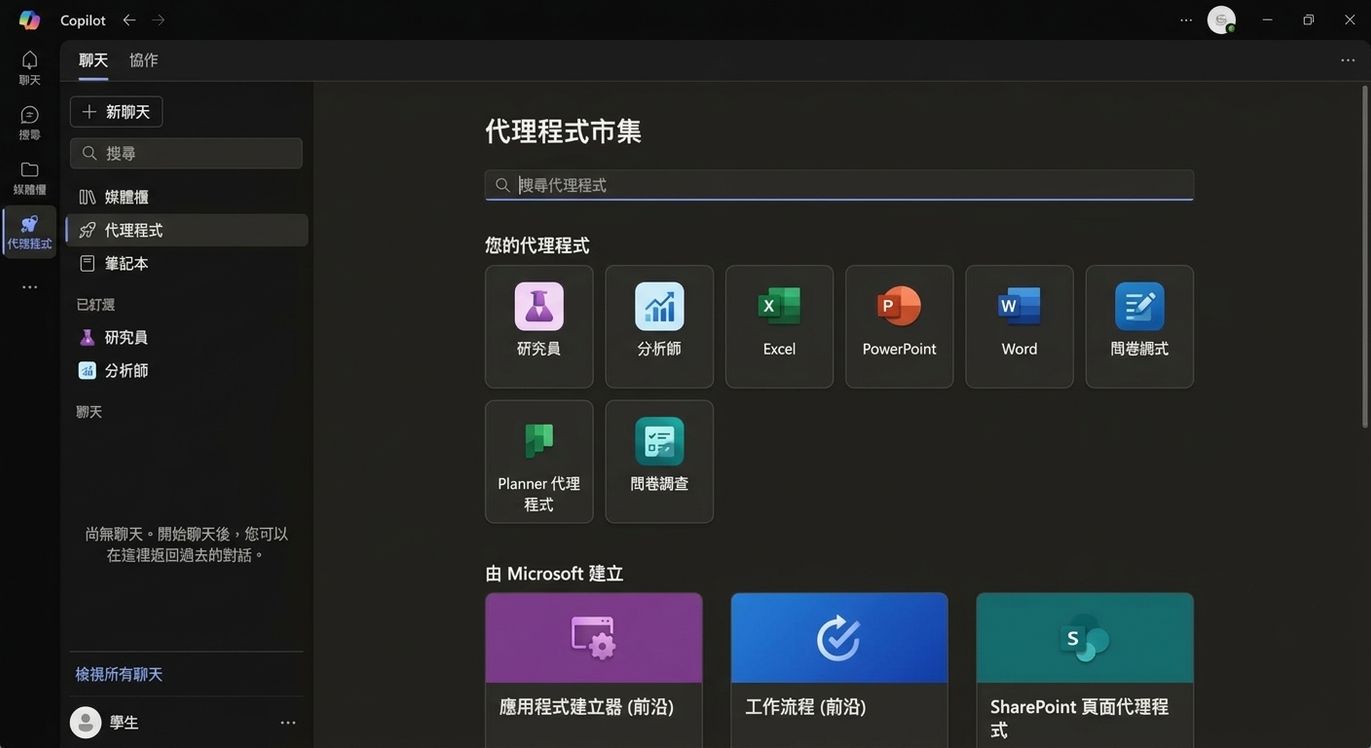
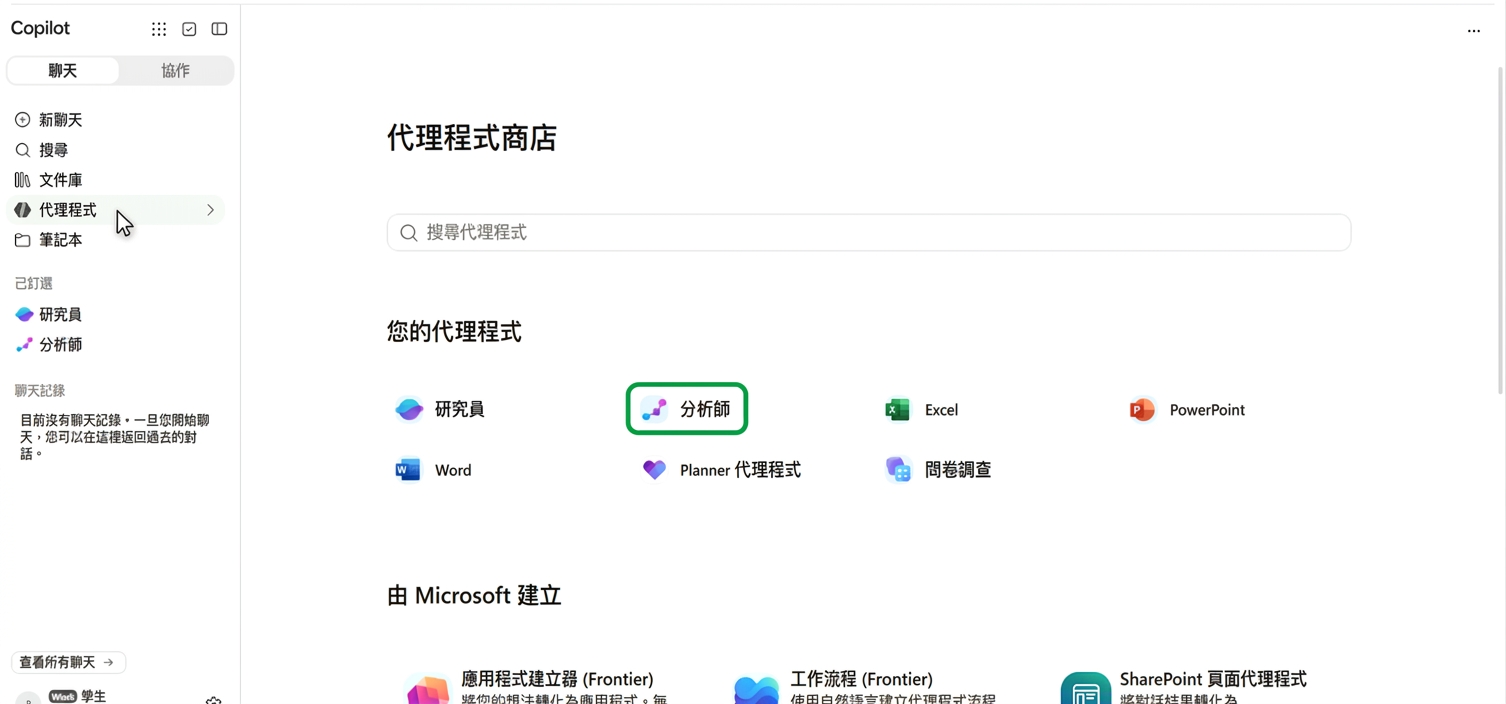
Copilot 的 Agent Store,內建代理包含 Researcher 與 Analyst

善用 Microsoft Copilot

Analyst Agent 概觀

Copilot 的 Agent Store,內建代理中反白顯示 Analyst

善用 Microsoft Copilot

Analyst Agent 概觀


Which region has shown the fastest growth compared to last quarter?

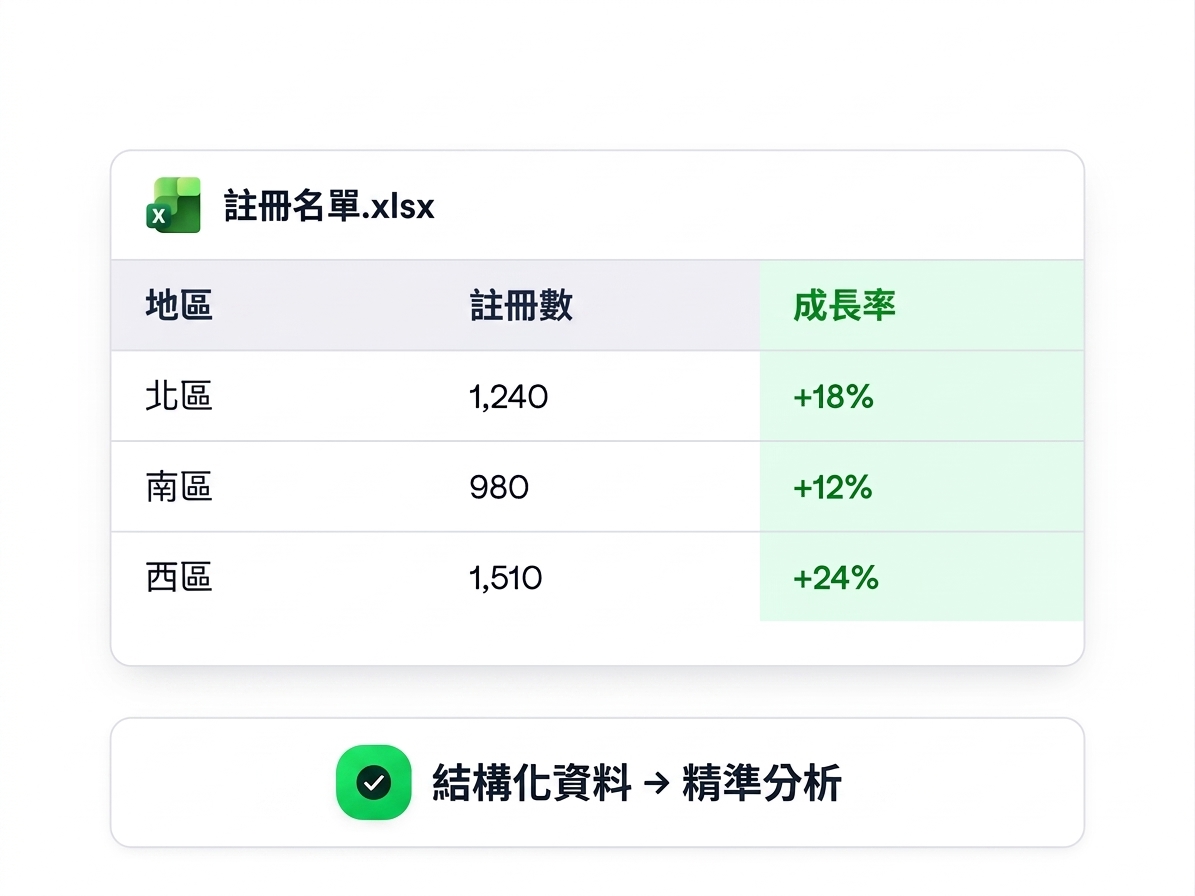
  • 最適合結構化資料,如試算表或 CSV
  • 產出精準洞見,例如成長比較
  • 用白話問商業問題;Copilot 負責分析


一個結構化試算表——Registrations.xlsx,含 Region、Sign-ups、Growth 欄位——標註為「結構化資料帶來精準分析」

善用 Microsoft Copilot

Analyst Agent 範例

$$

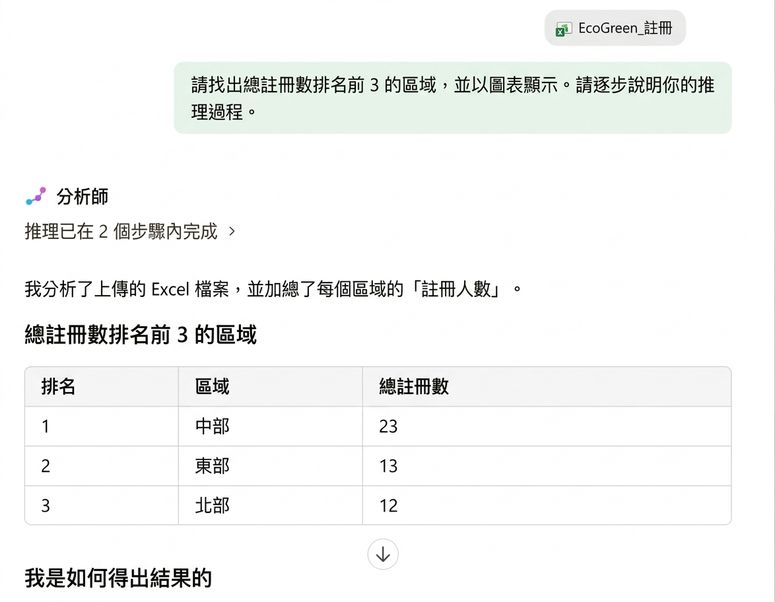
上傳資料並要求含推理的分析:

Find the top 3 regions by total registrations and show them in a chart. Walk me through your reasoning.

  • 自動分組並繪圖,不需撰寫公式
  • 顯示其推理步驟,讓你在會議上有據可依

Analyst 代理的地區排行輸出,於表格上方顯示其推理步驟

善用 Microsoft Copilot

Researcher Agent 概觀


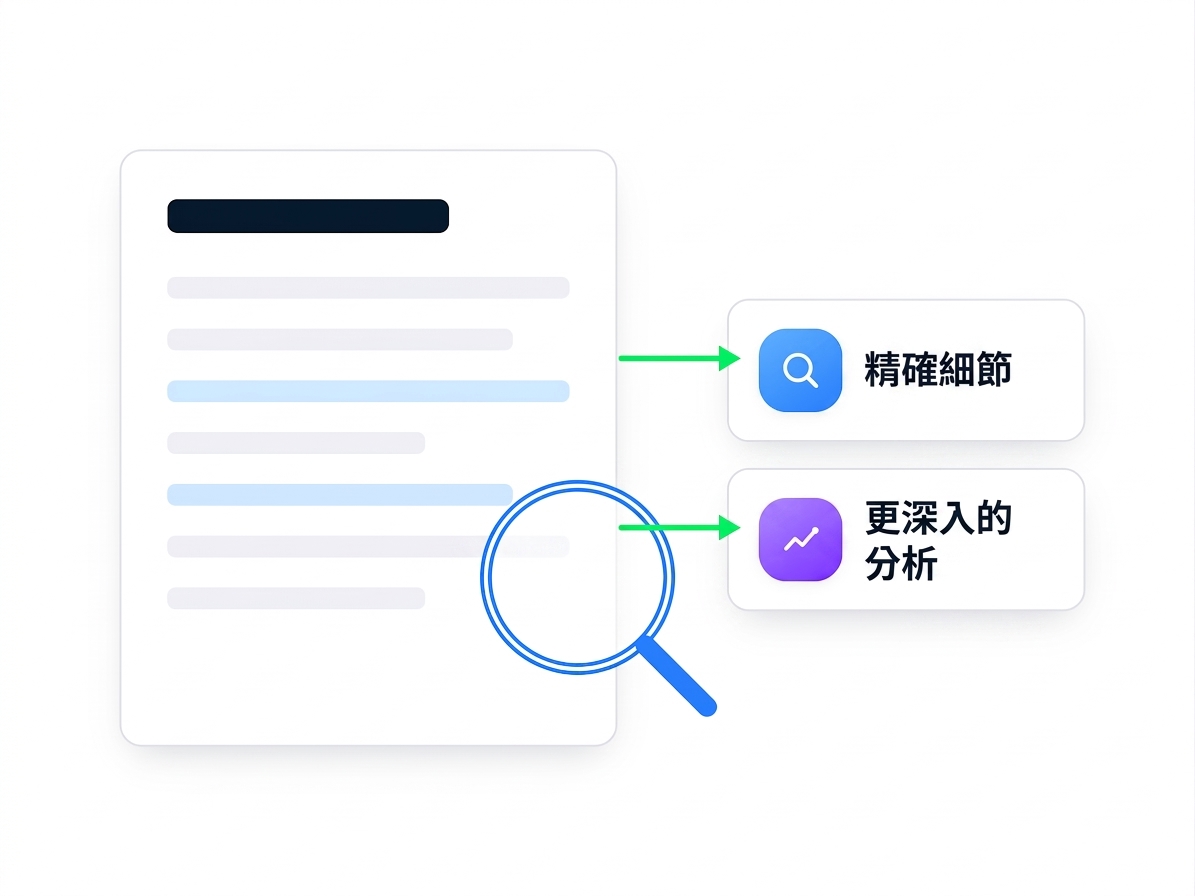
  • Researcher Agent 會從你的檔案蒐集深入資訊
  • 它能從文件與簡報中擷取精準細節
  • 不只摘要,還提供更深入的分析


文件被放大鏡檢視,擷取「精準細節」與「更深入分析」

善用 Microsoft Copilot

Researcher Agent 概觀


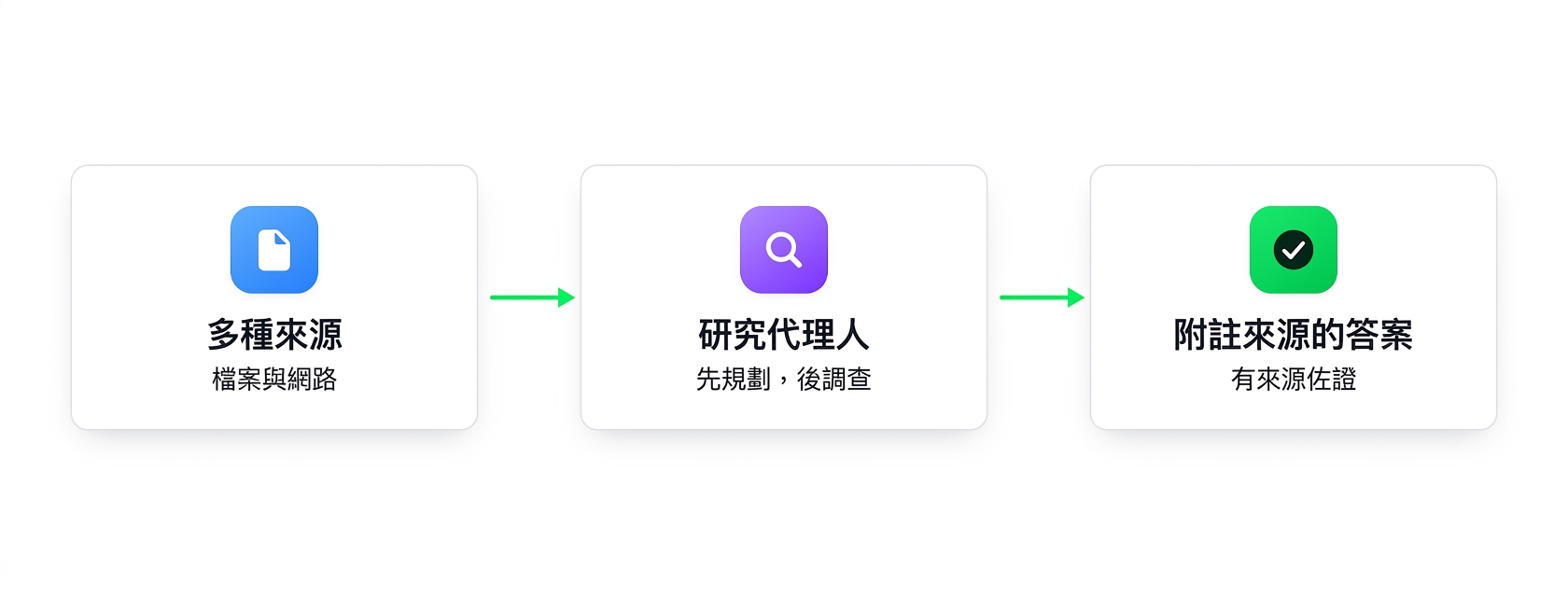
示意圖:多個來源匯入 Researcher 代理並回傳含引註的答案


  • 跨檔案連結想法,找出缺口與主題
  • 支援策略性任務,如規劃與訊息制定
  • 充當商業分析 Copilot,提供真正洞見
善用 Microsoft Copilot

Researcher Agent 範例


給 Researcher 一個開放式問題:

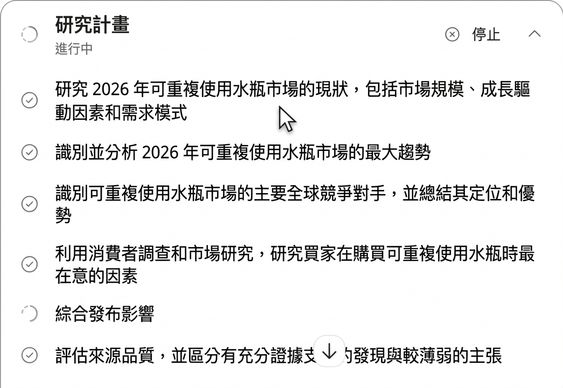
Research the reusable water bottle market: 2026 trends, main competitors, and what buyers care about. Cite sources.


Researcher 代理執行透明的多步研究計畫

善用 Microsoft Copilot

一起來練習吧!

善用 Microsoft Copilot

Preparing Video For Download...