從想法到成果

善用 Microsoft Copilot

Susanth Sutheesh

Copilot Solution Engineer, Microsoft

從 Copilot 應用程式開始
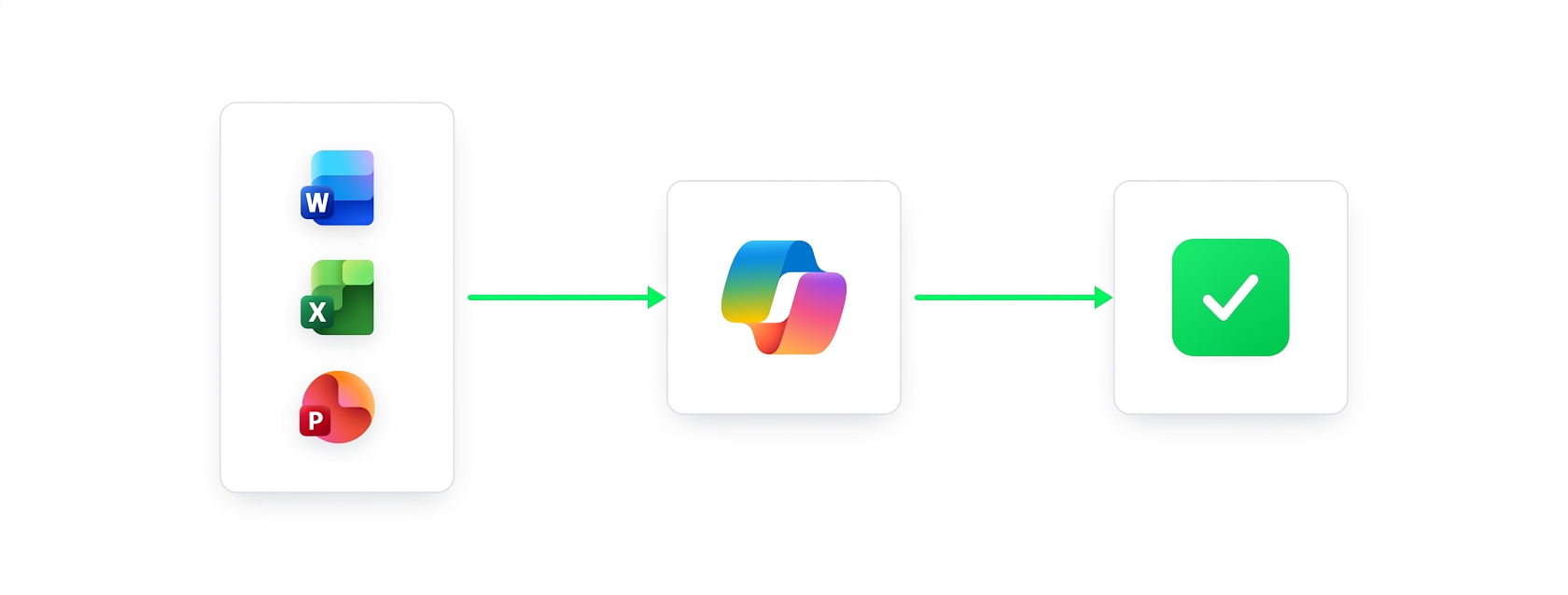
 

  • Copilot 應用程式是跨檔案工作的中樞
  • 在同一工作區連結不同檔案類型
  • 跨多個檔案發問,立即得到整合答案
  • 附件預設儲存到 OneDrive


跨檔案工作空間示意圖,無文字

善用 Microsoft Copilot

從 Copilot 應用程式開始

$$

附上兩個檔案,然後問一個問題:

Summarize the EcoGreen launch across both files in 5 bullets, and note which file each point comes from

Copilot 產生五點跨檔案摘要,每點標註來自 Word 報告或 Excel 檔

善用 Microsoft Copilot

帶進 Word 精修

$$

Rewrite this pasted summary as a 3-sentence executive summary, in the same tone as the rest of the report
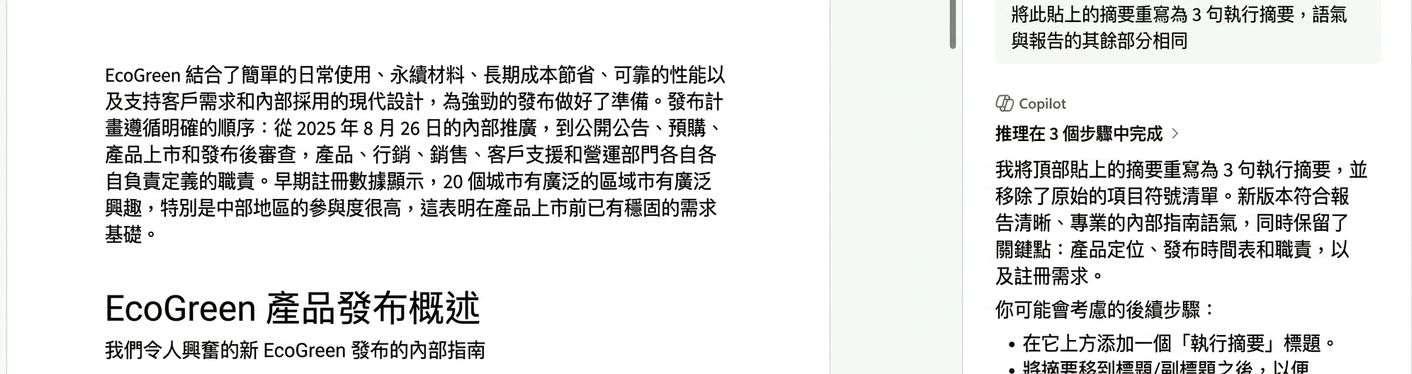
Word 將貼上的跨檔案摘要改寫為置於 EcoGreen 報告前段的三句主管摘要

善用 Microsoft Copilot

在 Excel 驗證說法

The summary says Central had the highest registration activity. Check that against this data and show the top 3 regions
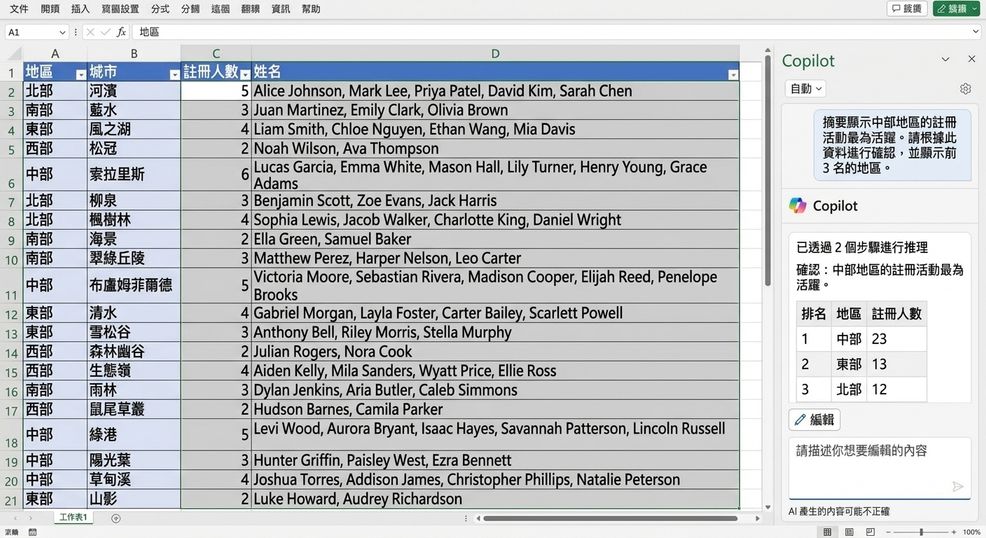
Excel 中的 Copilot 確認 Central 的註冊活動最高,並列出前三名區域排名

善用 Microsoft Copilot

在 PowerPoint 建立簡報


建立投影片後,再請它重點回顧:

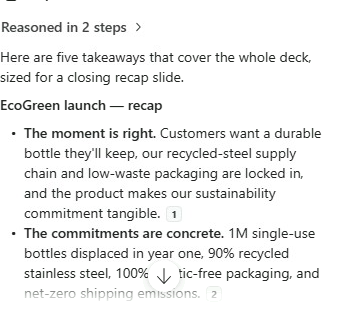
Recap the whole deck in five key takeaways for a closing slide

  • 五個重點,每點都要標註來源投影片
  • 一次提問 → Word → Excel → PowerPoint,不重做任何一步


Copilot 產生五點回顧,並註明回引到投影片

善用 Microsoft Copilot

重點整理

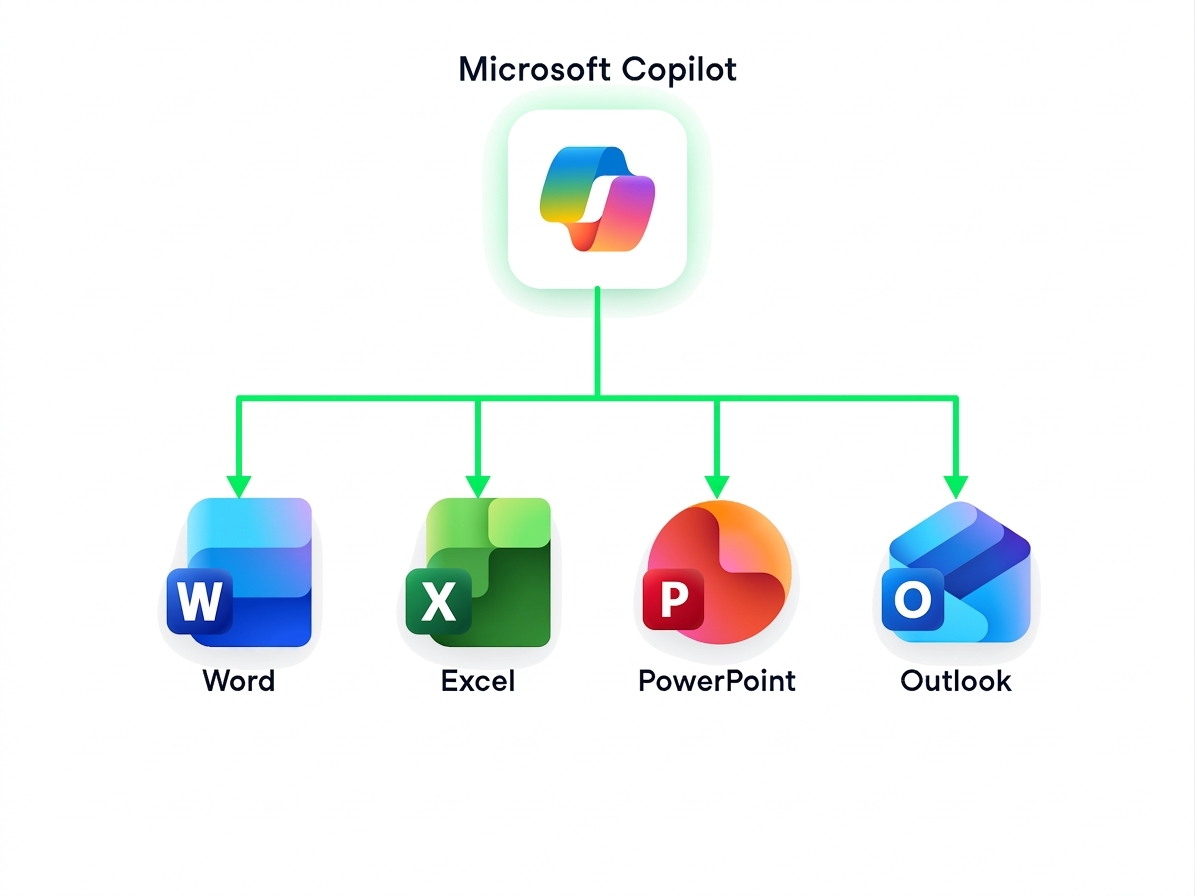
圖示顯示 Microsoft Copilot 標誌在中心,連結到 Word、Excel、PowerPoint,代表 Copilot 可跨應用程式串接工作

  • Microsoft Copilot 串連你在各應用程式的工作
  • 在撰寫、分析、簡報間無縫切換,不打斷工作流
善用 Microsoft Copilot

一起來練習吧!

善用 Microsoft Copilot

Preparing Video For Download...