Run-after: รับมือความล้มเหลวอย่างมืออาชีพ

Power Automate ระดับกลาง

Dani Kahil

Solution Architect | Microsoft MVP

Power Automate ไม่มี try-catch
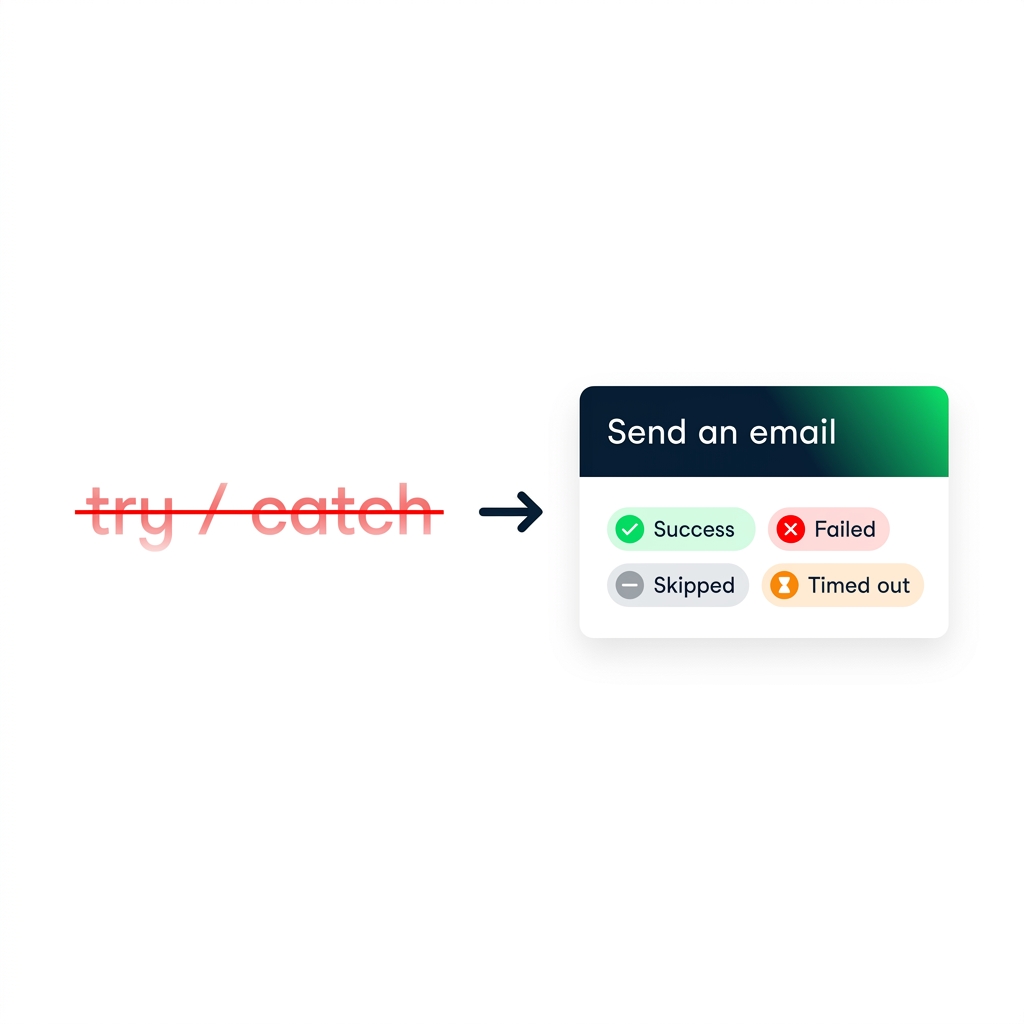
nanobanana: A clean flat minimalist illustration on a pure white background. On the left, the text "try / catch" written in a red strikethrough font, faded. On the right, a single action card labelled "Send an email" with four small status pills underneath labelled "Success", "Failed", "Skipped", "Timed out", with checkmark and X icons in DataCamp green and red. A bold arrow points from left to right.


  • ไม่มีคีย์เวิร์ด try / catch
  • ทุกแอ็กชันมีการตั้งค่า run-after
  • Run-after = สถานะของขั้นตอนก่อนหน้าที่จะทริกเกอร์ขั้นตอนนี้
Power Automate ระดับกลาง

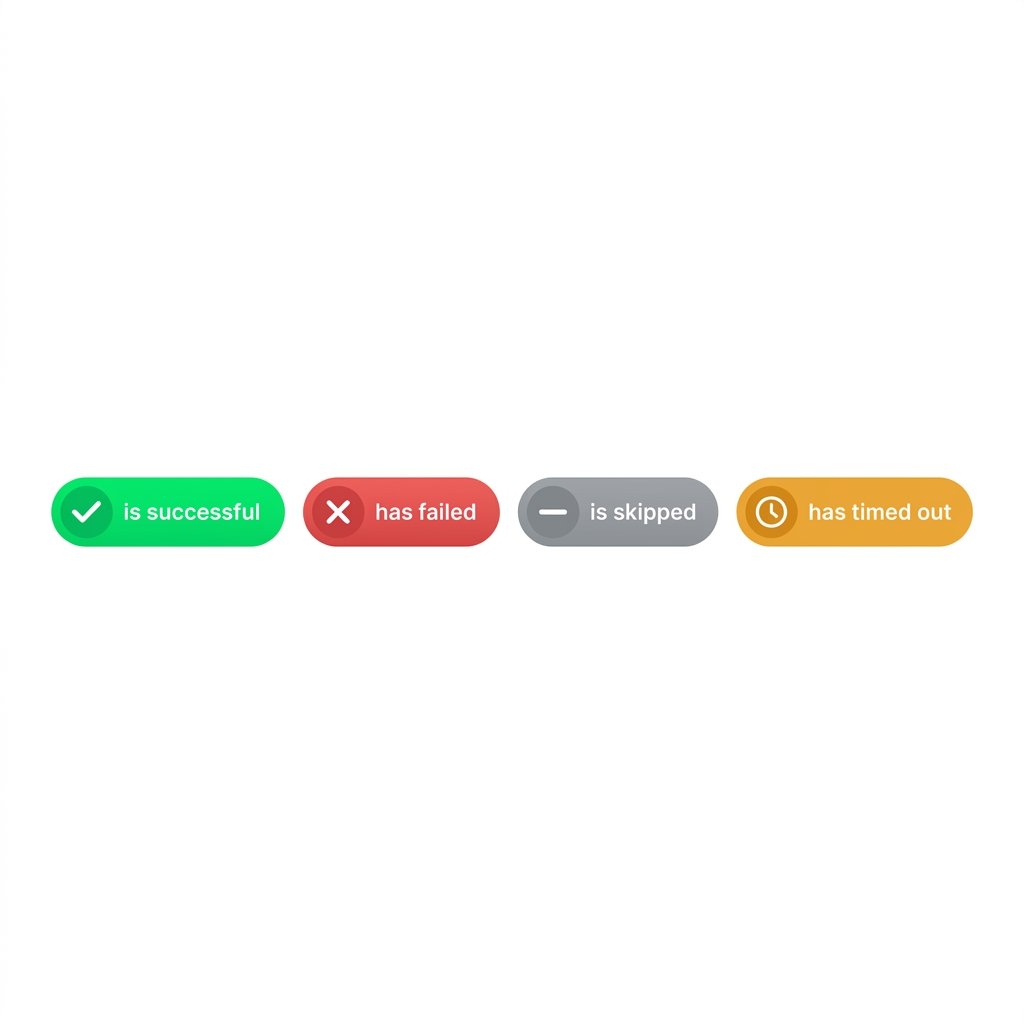
สถานะ run-after ทั้งสี่

nanobanana: A clean flat illustration on a pure white background showing four equally sized horizontal pill-shaped status badges in a row. Each pill is labelled, in order: "is successful" (DataCamp green with a checkmark), "has failed" (red with an X), "is skipped" (grey with a dash), "has timed out" (amber with a clock icon). Minimalist, no shadows, equal weight on all four.


  • is successful — ค่าเริ่มต้น
  • has failed — แอ็กชันเกิดข้อผิดพลาด
  • is skipped — ถูกข้ามโดย Condition หรือ Scope
  • has timed out — เกินเวลาที่กำหนด
Power Automate ระดับกลาง

รูปแบบ branch คู่ขนานสำหรับจัดการความล้มเหลว

$$
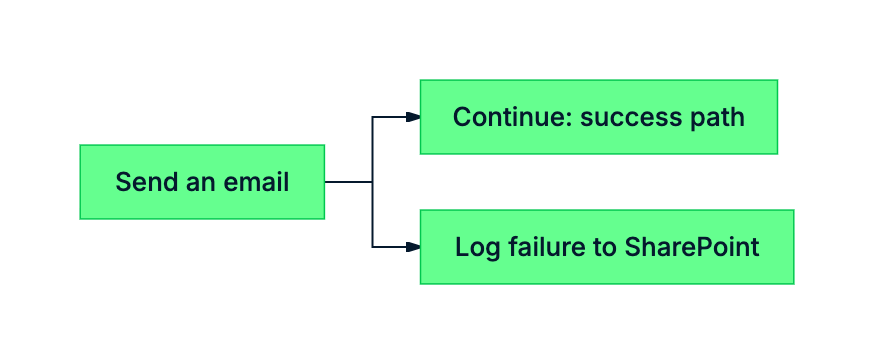
mermaid: green-navy: Send an email branching into a success path and a parallel failure-handler logging to SharePoint


  • เพิ่ม branch คู่ขนาน หลังแอ็กชันที่เสี่ยงล้มเหลว
  • ตั้งค่า run-after เป็น has failed หรือ has timed out
  • เส้นทางเดิมยังคงใช้ค่าเริ่มต้น is successful
Power Automate ระดับกลาง

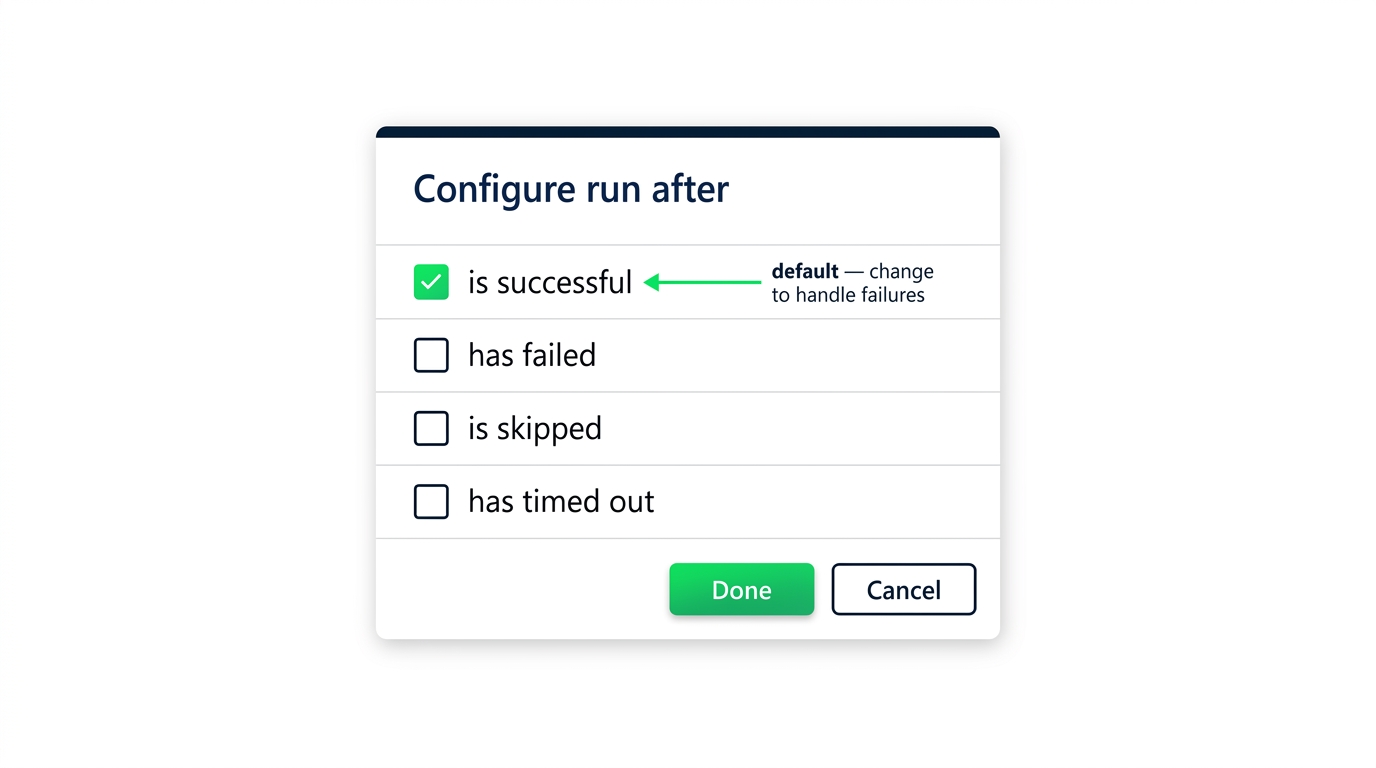
บั๊ก run-after ที่พบบ่อยที่สุด


screenshot_run_after_dialog_default_is_successful: Power Automate run-after configuration dialog with four checkboxes for is successful, has failed, is skipped, has timed out - only is successful is checked, with a callout highlighting it as the default that needs to change


  • ตัวจัดการความล้มเหลวที่ใช้ค่าเริ่มต้นจะไม่ทำงานเลย
  • Branch ใหม่จะสืบทอดค่า is successful
Power Automate ระดับกลาง

การลองใหม่: branch คู่ขนานช่วยสร้างความซ้ำซ้อน
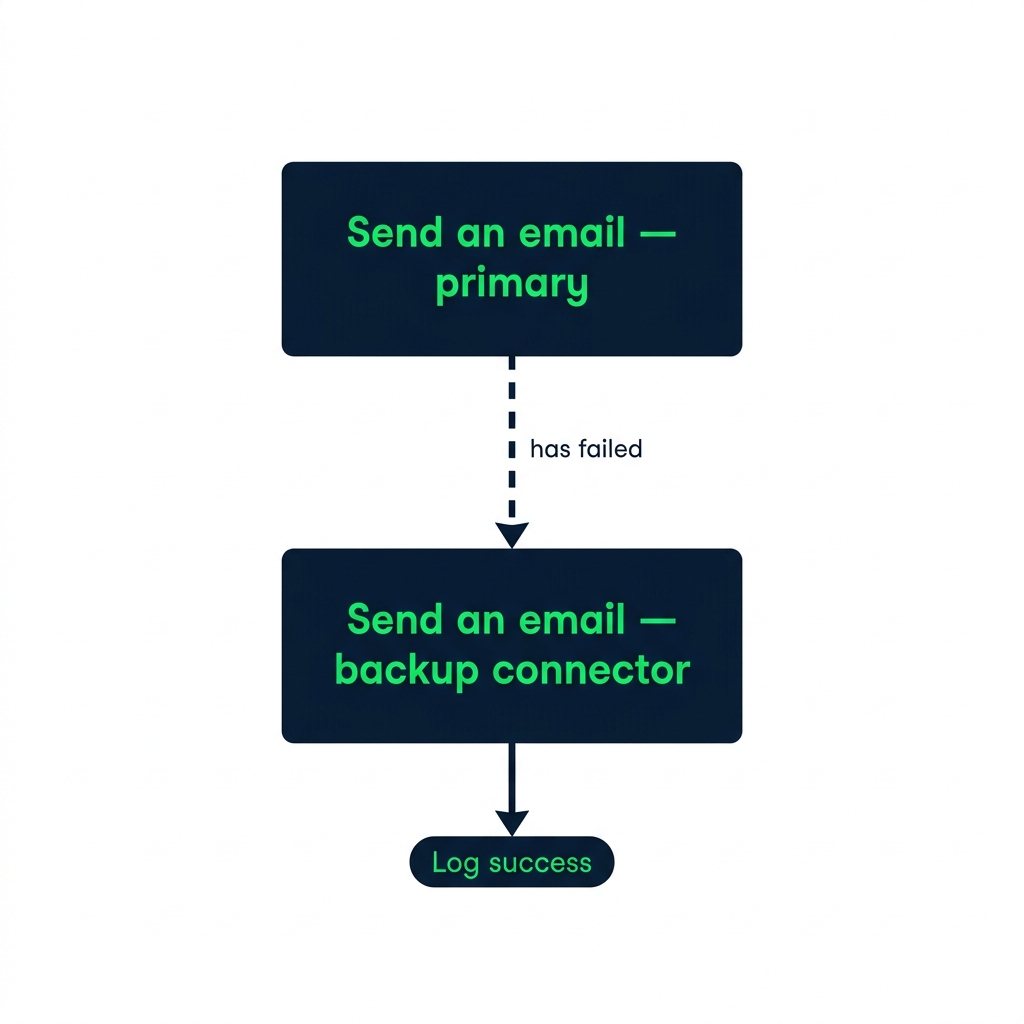
nanobanana: A clean flat illustration on a pure white background showing one action card labelled "Send an email — primary" with a downstream "Send an email — backup connector" beneath it, connected by a dashed arrow labelled "has failed". The backup card has its own downstream "Log success" pill. DataCamp green and navy. Minimalist.


  • ใช้ run-after เพื่อเชื่อม การลองใหม่ผ่านคอนเนกเตอร์อื่น
  • Branch คู่ขนานทำให้เส้นทางเดิมเป็นอิสระจากกัน
Power Automate ระดับกลาง

มาฝึกกันเถอะ!

Power Automate ระดับกลาง

Preparing Video For Download...