Noțiuni de bază despre aprobări: Start and wait

Power Automate intermediar

Dani Kahil

Solution Architect | Microsoft MVP

De ce punem fluxul pe pauză pentru o persoană?
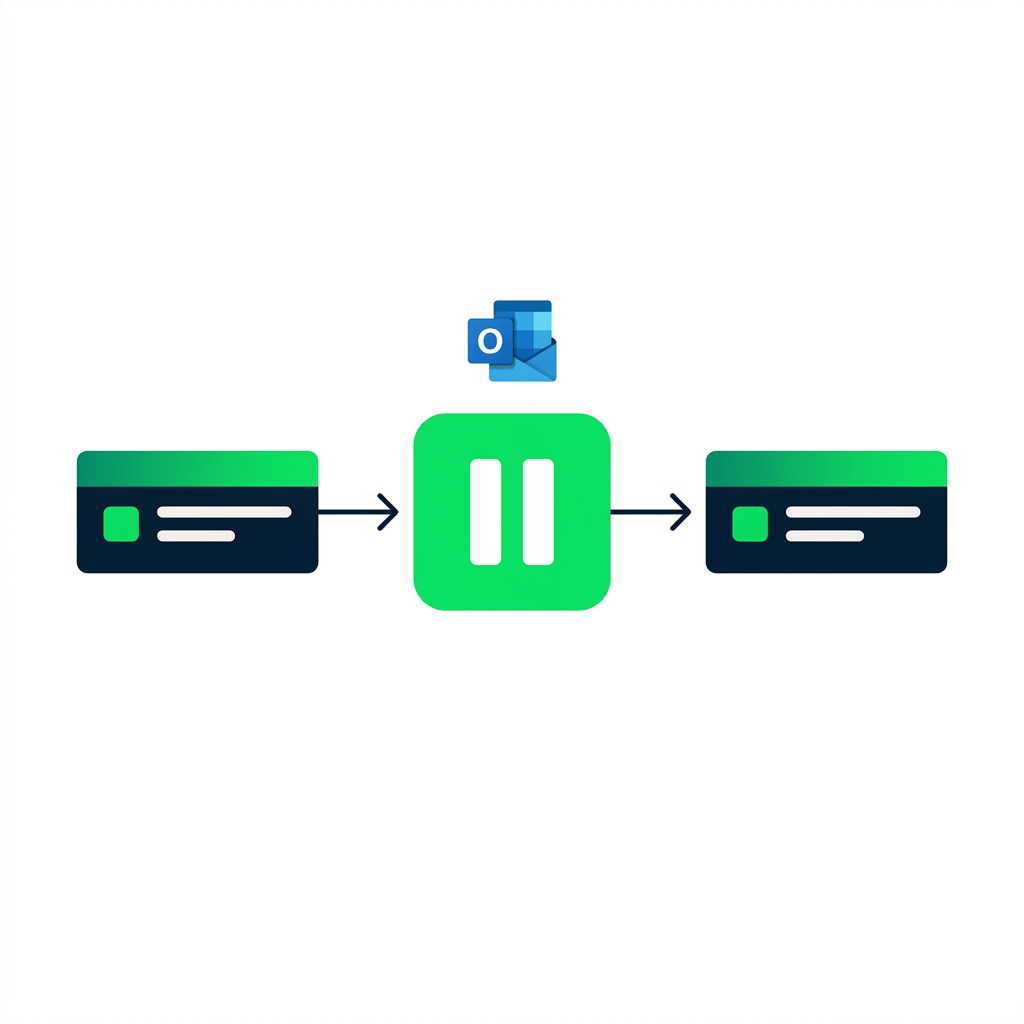
nanobanana: A clean flat minimalist illustration on a pure white background. A horizontal Power Automate flow runs left to right with three rectangular action steps connected by arrows. The middle step is replaced with a large pause icon in DataCamp green — two vertical bars inside a rounded square. Above the pause icon, a small Outlook envelope icon hovers, suggesting an email is sent while the flow waits. No labels, no other elements. Flat 2D, no shadows.


  • Aprobările pun fluxul pe pauză până răspunde cineva
  • Deciziile cu miză mare nu trebuie să se execute automat
  • Conectorul trimite emailul și așteaptă - fără conexiuni suplimentare
Power Automate intermediar

Anatomia acțiunii Start and wait


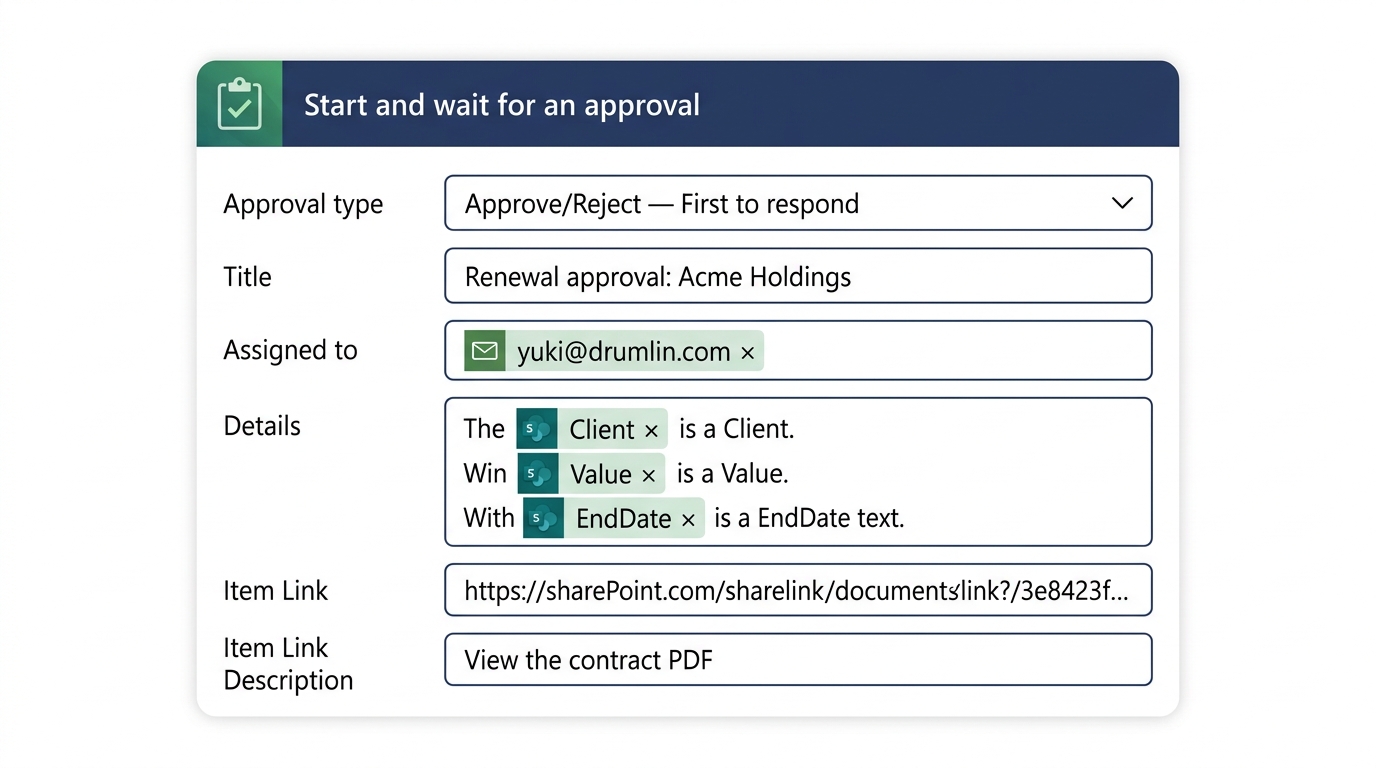
Start and wait for an approval action expanded in the Power Automate designer, showing the Approval type dropdown, Title, Assigned to, Details, and Item Link fields


  • Approval type - binar sau personalizat
  • Assigned to - emailul aprobatorului
  • Title, Details, Item Link - ce vede acesta
Power Automate intermediar

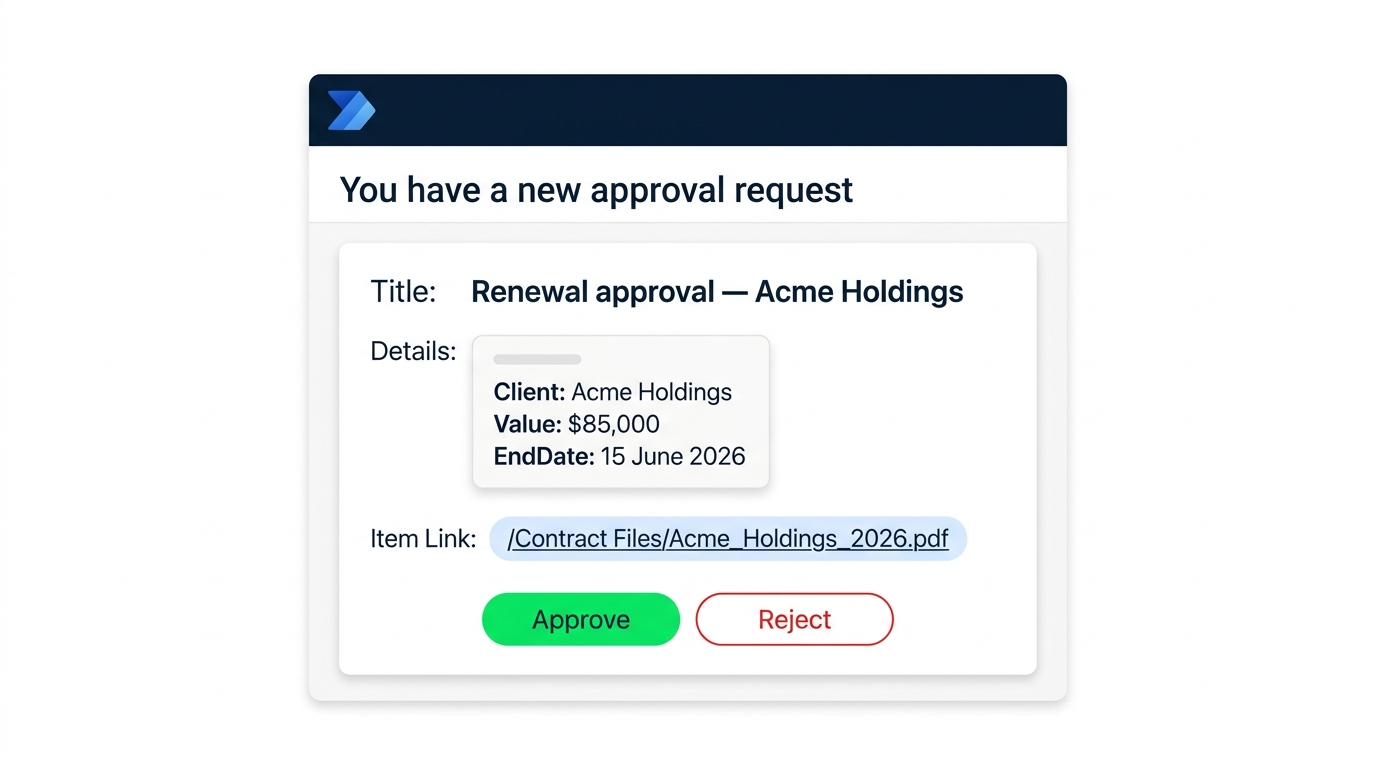
Ce vede efectiv aprobatorul

$$

Outlook actionable approval email rendering showing Title, Details, Item Link, and embedded Approve and Reject buttons inline


  • Title + Details completează corpul emailului
  • Item Link deschide înregistrarea (PDF-ul contractului)
  • Butoanele Approve / Reject trimit răspunsul fără a ieși din Outlook
Power Automate intermediar

Outcome: capcana literelor mari și mici

$$
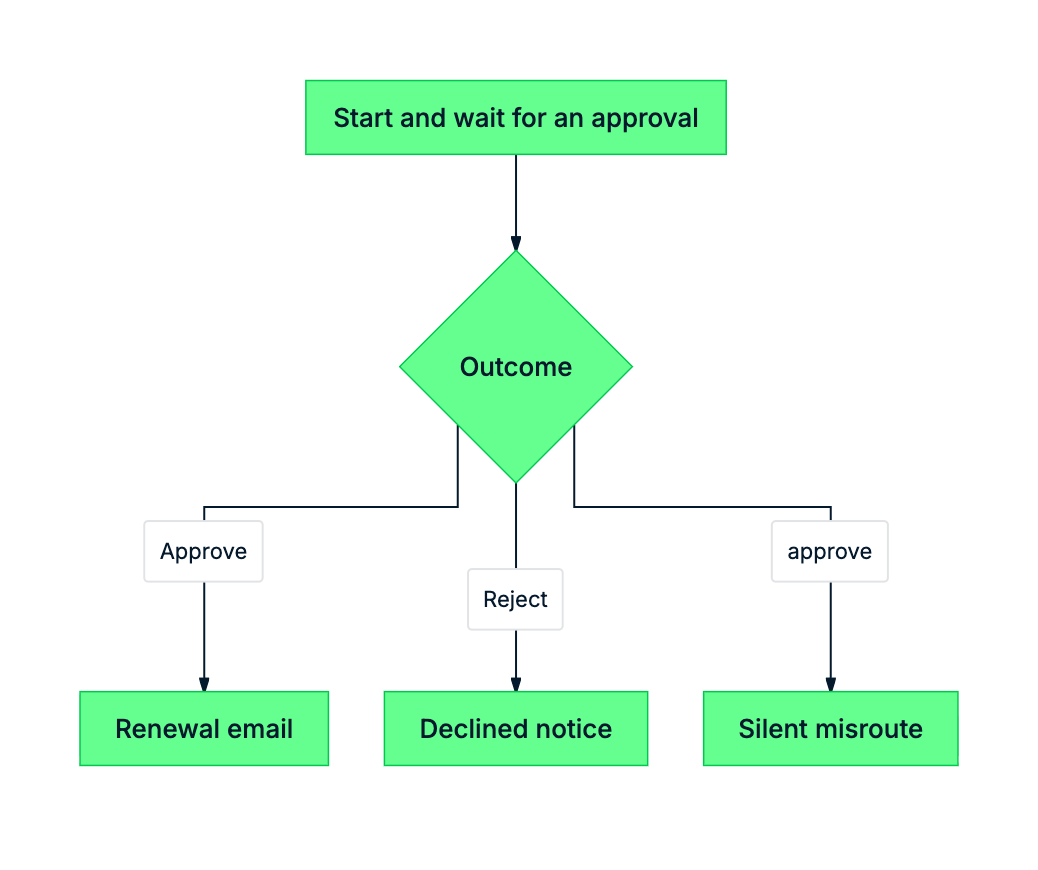
mermaid: outcome casing trap


  • Outcome este un string - 'Approve' sau 'Reject'
  • A majusculă, R majusculă - mereu
  • O comparație cu litere mici direcționează silențios spre False
Power Automate intermediar

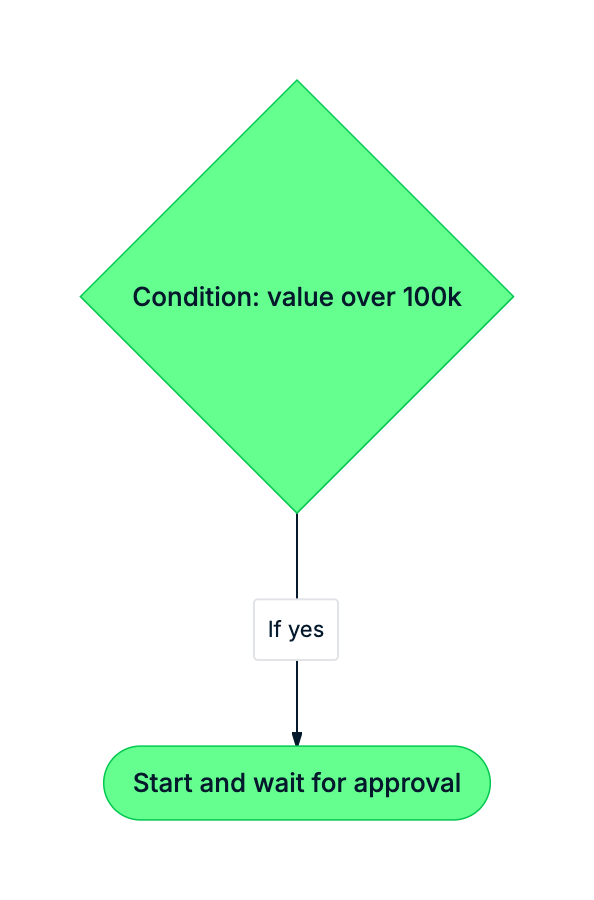
Unde se încadrează aprobarea în flux

mermaid: green-navy: Condition splits flow on value; high-value branch uses approval, low-value sends email directly


  • Reînnoirile cu valoare mică nu au nevoie de o persoană în buclă
  • Aprobările stau pe ramura cu miză mare
  • O aprobare = o Condiție ulterioară pe Outcome
Power Automate intermediar

Hai să exersăm!

Power Automate intermediar

Preparing Video For Download...