自動觸發與條件

Power Automate 中級

Dani Kahil

Solution Architect | Microsoft MVP

事件監聽,不是時鐘
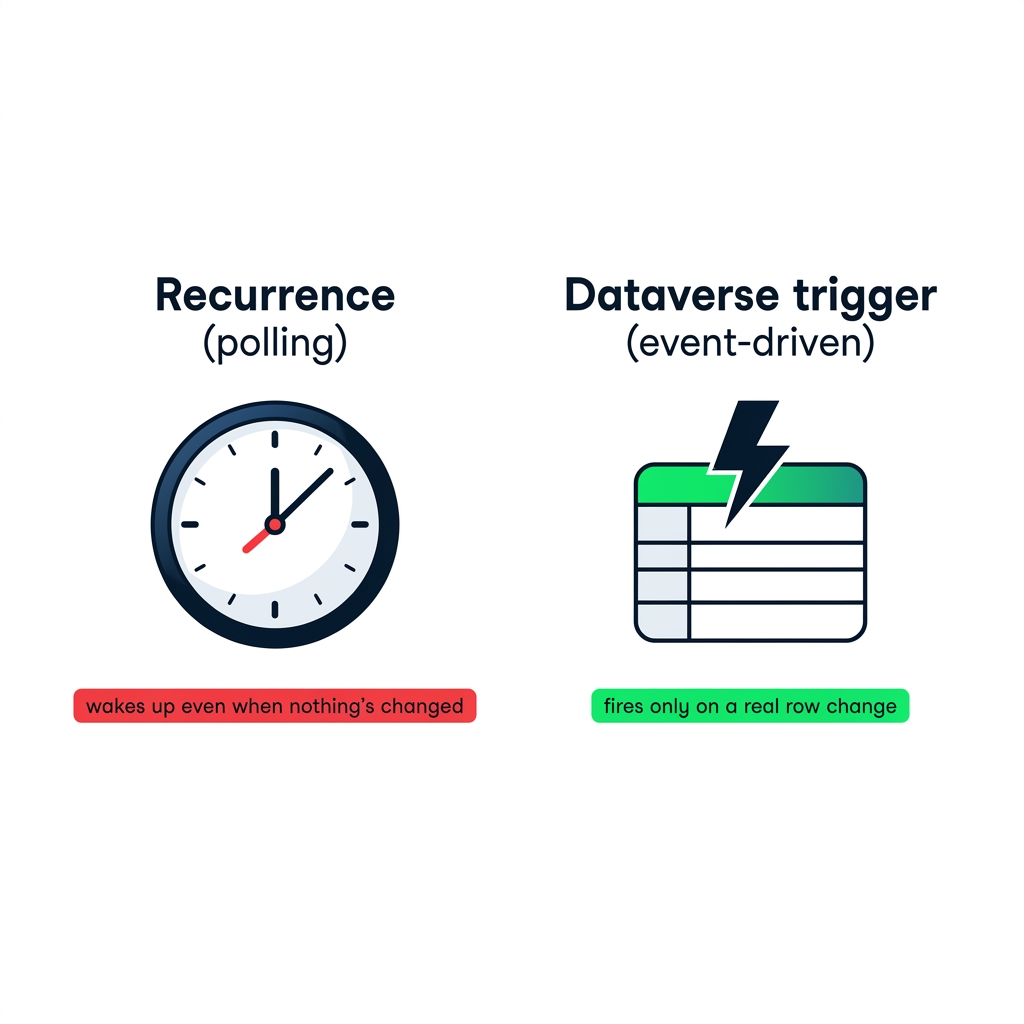
nanobanana:純白背景,左右並排兩個水平面板。左側標示「Recurrence(輪詢)」:一個指針時鐘,下面紅色小標「即使沒有變化也會喚醒」。右側標示「Dataverse 觸發(事件驅動)」:閃電圖示覆蓋風格化資料表,下面綠色小標「只在資料列真的變更時觸發」。扁平 2D 插畫,DataCamp 深藍+綠+紅點綴。無陰影、無 3D。


  • Recurrence 會喚醒——就算沒有任何變更
  • 自動觸發則等待變更發生
  • 每個事件觸發一次,不輪詢
Power Automate 中級

設定變更事件

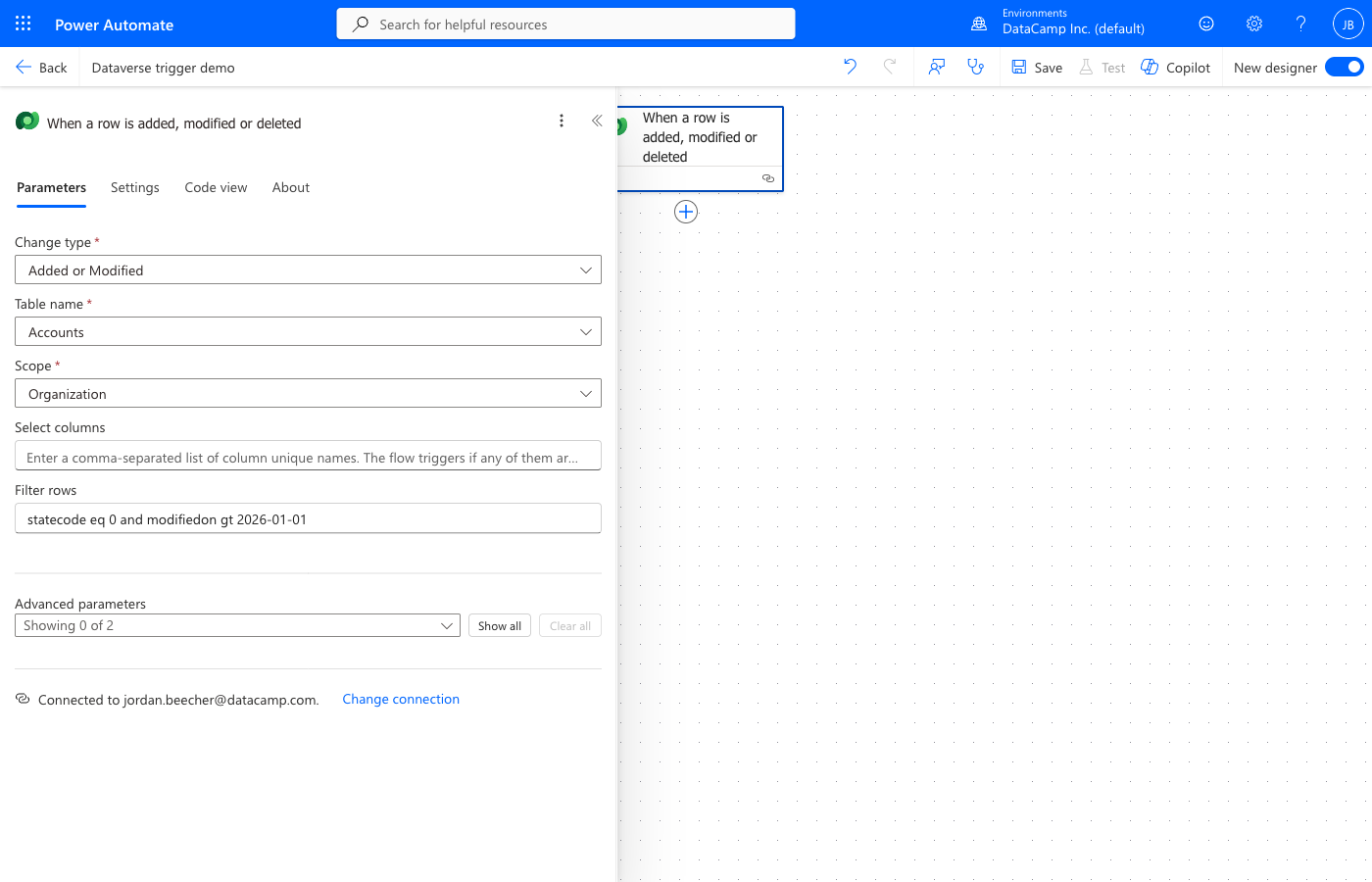
Dataverse 觸發設定畫面,顯示 Change type、Table name、Scope、Select columns 與 Filter rows 欄位

Source  ·  Change type  ·  Scope —— 這三個欄位決定何時觸發

Power Automate 中級

Filter rows:伺服器端且不計費


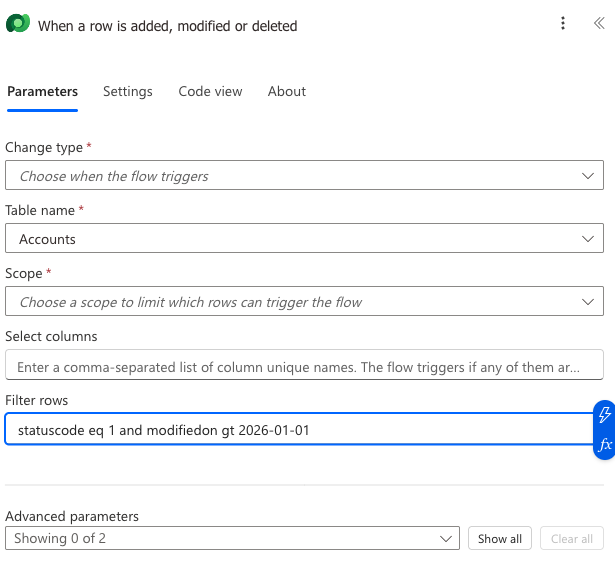
Dataverse 觸發的 Filter rows 欄位,含 OData 表達式「statuscode eq 1 and modifiedon gt 2026-01-01」


  • Filter rows 在伺服器端先執行,於流程觸發前
  • 只有符合條件的事件才會觸發執行
  • Dataverse 專屬;SharePoint 則改用觸發條件
Power Automate 中級

同一概念,所有觸發器都可用

@equals(
  triggerOutputs()?['day'],
  'Monday'
)
@greater(
  item()?['priority'],
  'High'
)
@contains(
  triggerBody()?['subject'],
  'urgent'
)


  • 適用於每個觸發器,不只 Dataverse
  • 在觸發器「Settings」面板中的布林表達式
  • 「運算子」—— equals、greater、and、or —— OData 語法相同
Power Automate 中級

Trigger condition 還是 Condition 動作?

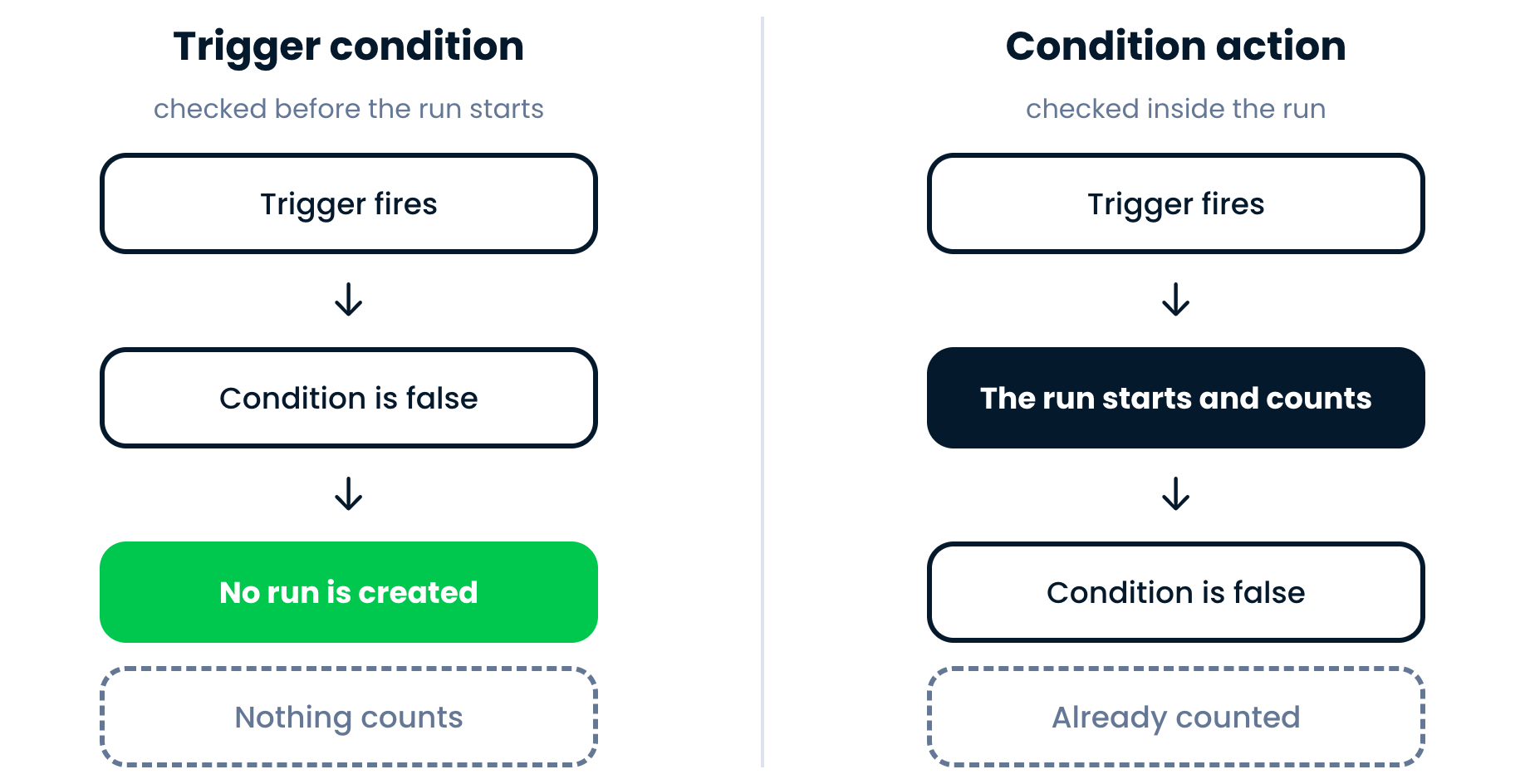
兩個面板:觸發條件在執行開始前檢查,為 false 則不執行;Condition 動作在流程內檢查,因此流程已啟動且會計入次數

Trigger condition 為 false → 完全不執行

Condition 動作為 false → 執行仍算一次

Power Automate 中級

除錯:流程沒觸發怎麼辦


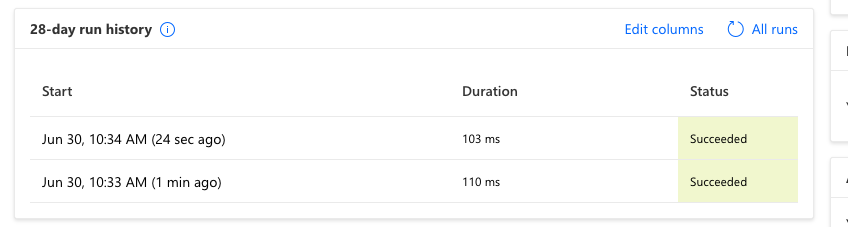
Power Automate 28 天執行記錄,顯示兩次成功的執行,含 Start、Duration、Status 欄


  • 被拒絕的事件不會產生任何執行記錄
  • 線索是你預期的執行「缺席」
  • 將篩選表達式與資料表中的「實際欄位名稱」比對
Power Automate 中級

一起來練習吧!

Power Automate 中級

Preparing Video For Download...