自动触发与条件

Power Automate 中级

Dani Kahil

Solution Architect | Microsoft MVP

事件监听器,而非时钟
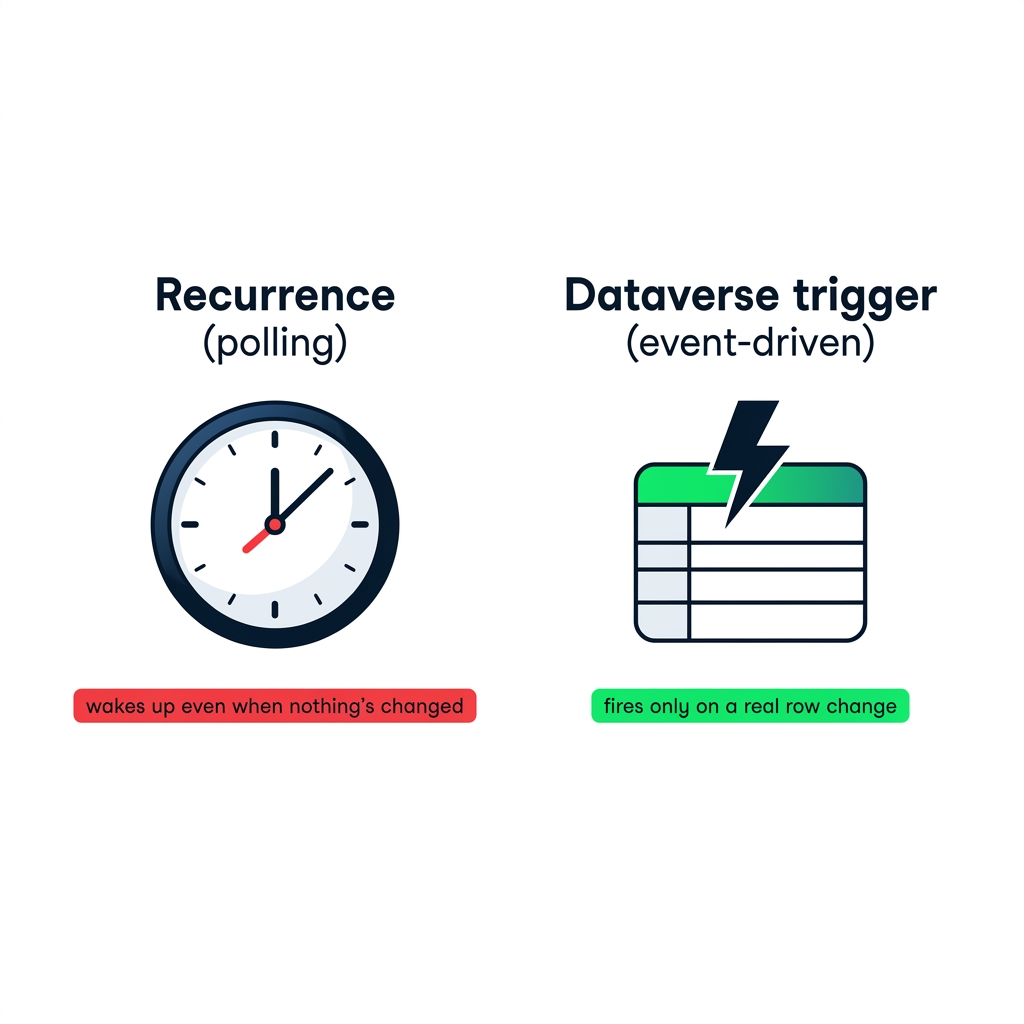
nanobanana: 纯白背景并排两块横向面板。左侧面板标注 "Recurrence (polling)":一个走动的时钟图标,下方红色小标签写着 "即使无变化也会唤醒"。右侧面板标注 "Dataverse trigger (event-driven)":闪电覆盖在样式化数据表图标上,下方绿色小标签写着 "仅在真实行变更时触发"。平面 2D 插画,DataCamp 藏蓝+绿色+红色点缀。无阴影,无 3D。


  • 周期任务会唤醒——哪怕没有变化
  • 自动触发器会等待实际变更
  • 按事件触发,一次一火,不轮询
Power Automate 中级

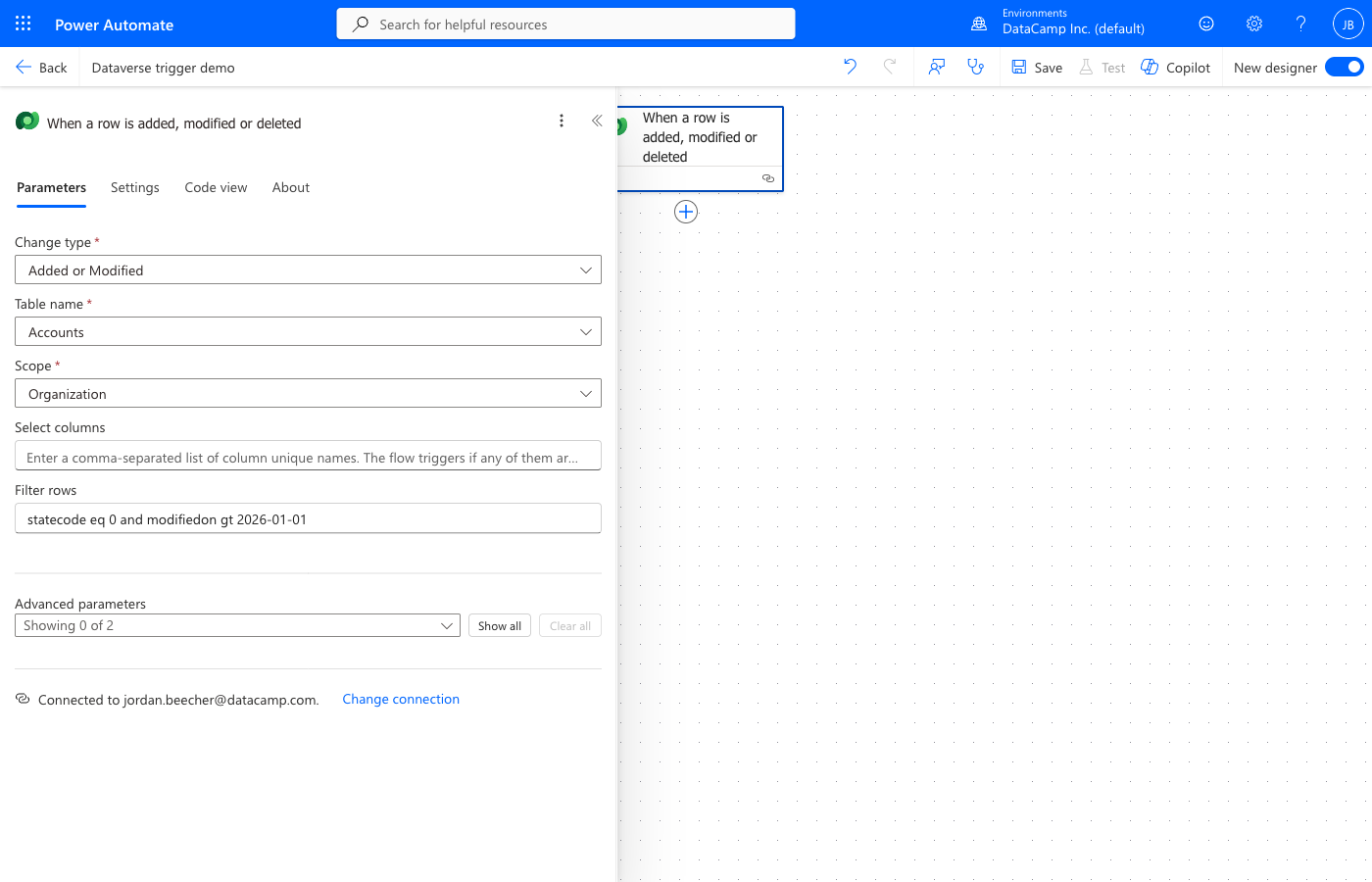
配置变更事件

Dataverse trigger configuration showing Change type, Table name, Scope, Select columns, and Filter rows fields

Source  ·  Change type  ·  Scope —— 这三项决定何时触发

Power Automate 中级

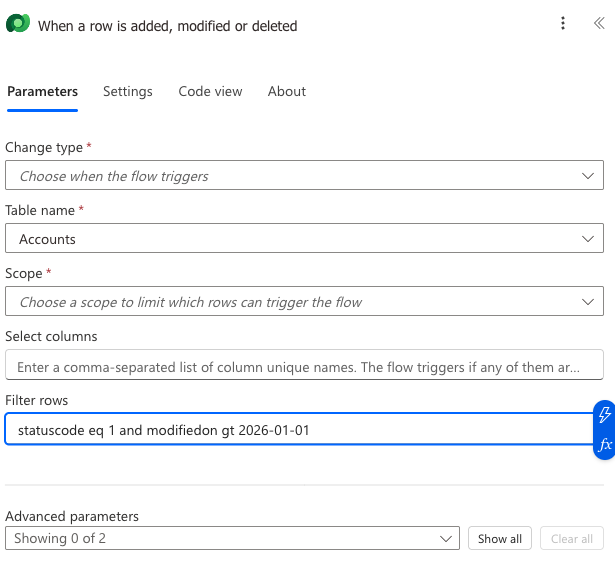
Filter rows:服务端且免费


Dataverse trigger Filter rows field with OData expression "statuscode eq 1 and modifiedon gt 2026-01-01"


  • Filter rows 在服务器端运行,早于流触发
  • 仅匹配的事件会触发运行
  • Dataverse 专有——SharePoint 改用触发条件
Power Automate 中级

同一思路,适用于所有触发器

@equals(
  triggerOutputs()?['day'],
  'Monday'
)
@greater(
  item()?['priority'],
  'High'
)
@contains(
  triggerBody()?['subject'],
  'urgent'
)


  • 适用于每个触发器,不仅是 Dataverse
  • 在触发器的 Settings 面板中填写布尔表达式
  • 运算符——equals、greater、and、or——与 OData 语法一致
Power Automate 中级

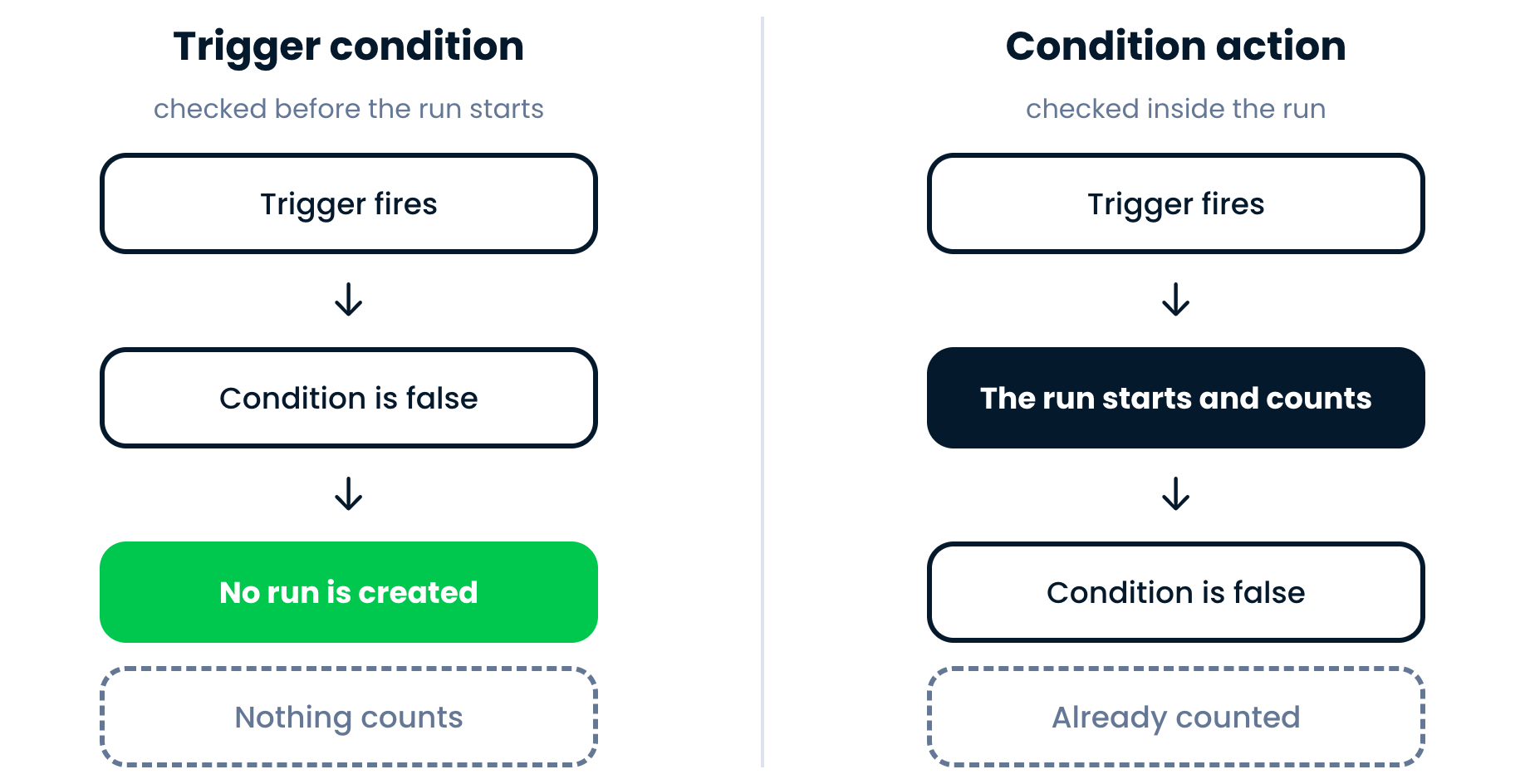
触发条件 vs 条件操作?

Two panels: a trigger condition is checked before the run starts, so false means no run; a Condition action is checked inside the run, so the run has already happened and counts

Trigger condition 为 false → 完全不运行

Condition 操作为 false → 已运行,仍计数

Power Automate 中级

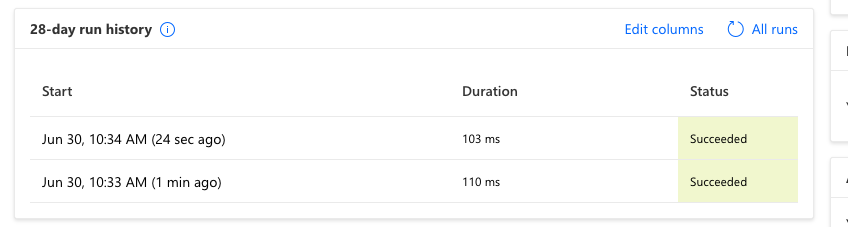
调试无法触发的流程


Power Automate 28-day run history showing two succeeded runs with Start, Duration, and Status columns


  • 被拒绝的事件不会产生运行历史条目
  • 线索是您预期的运行缺失
  • 将筛选表达式与表中的实际字段名逐一比对
Power Automate 中级

让我们一起练习吧!

Power Automate 中级

Preparing Video For Download...