Switch:按状态路由

Power Automate 中级

Dani Kahil

Solution Architect | Microsoft MVP

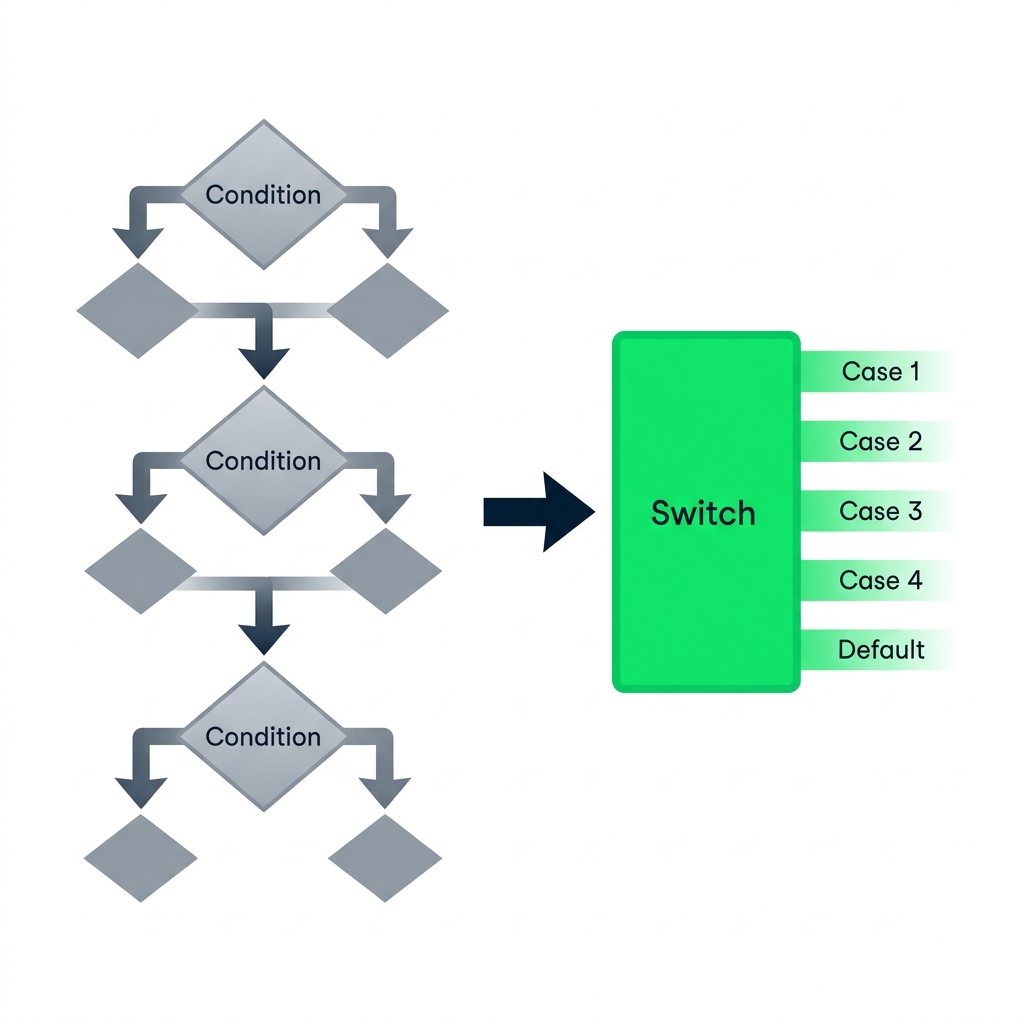
嵌套 Conditions vs Switch

nanobanana: 纯白背景的扁平插画,左右并排两幅流程图。左:三层深度嵌套的菱形 Condition,左右分支,灰色表现复杂性。右:一个标注为 "Switch" 的矩形操作,向外分出五条水平输出通道,标注 Case 1、Case 2、Case 3、Case 4、Default,采用 DataCamp 绿色。左到右有一根粗箭头。


  • Conditions 基于布尔值分支——每个操作一个是/否
  • Switch 基于单个值路由到多个情形
  • 超过两层嵌套 Conditions 时,用 Switch
Power Automate 中级

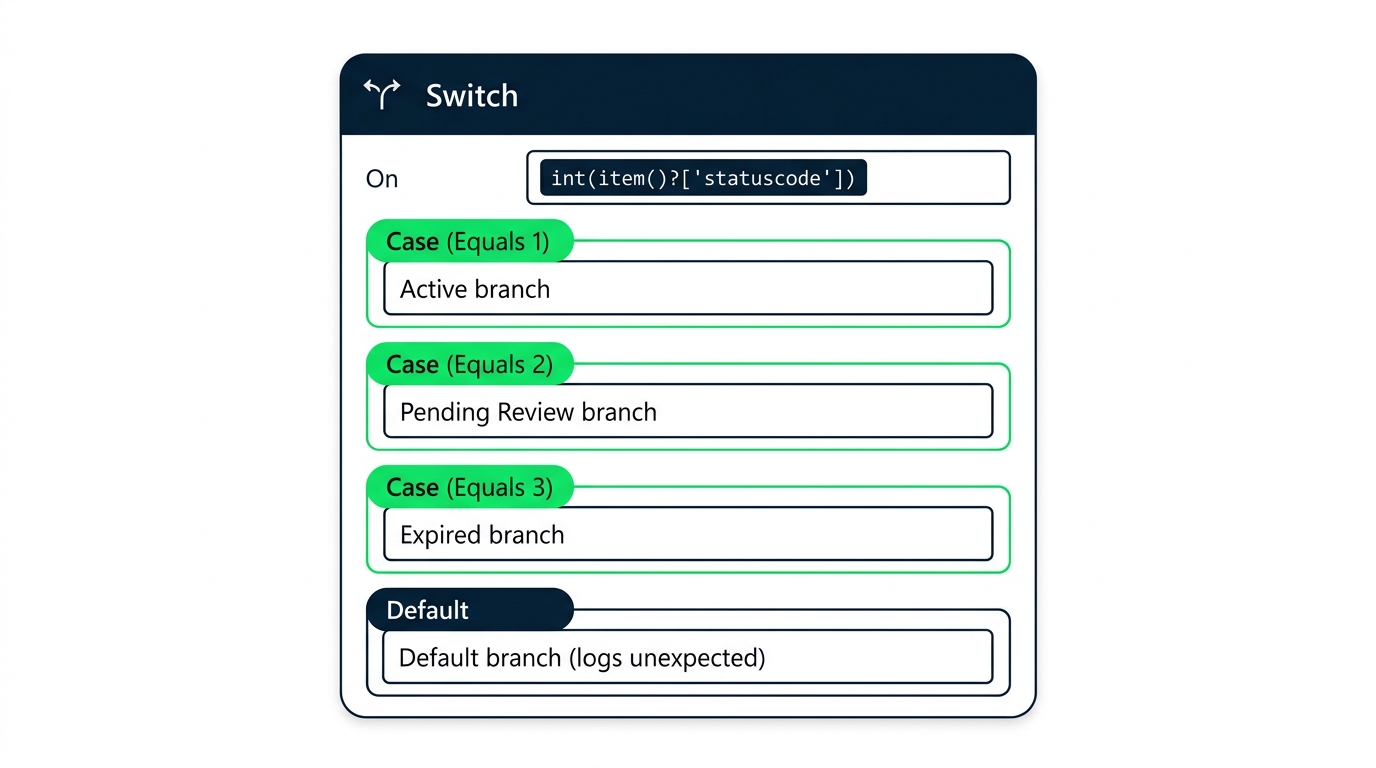
Switch 结构


screenshot_switch_action_config_panel: 展开的 Power Automate Switch 操作,显示 On 字段使用 Status Value 动态内容令牌,三个情形槽标注为 Case (Equals Active)、Case (Equals Lapsed)、Case (Equals Renewed),底部有一个 Default 情形


  • On——Switch 要评估的值
  • Case——精确匹配各走一支
  • Default——未匹配到的全归此
Power Automate 中级

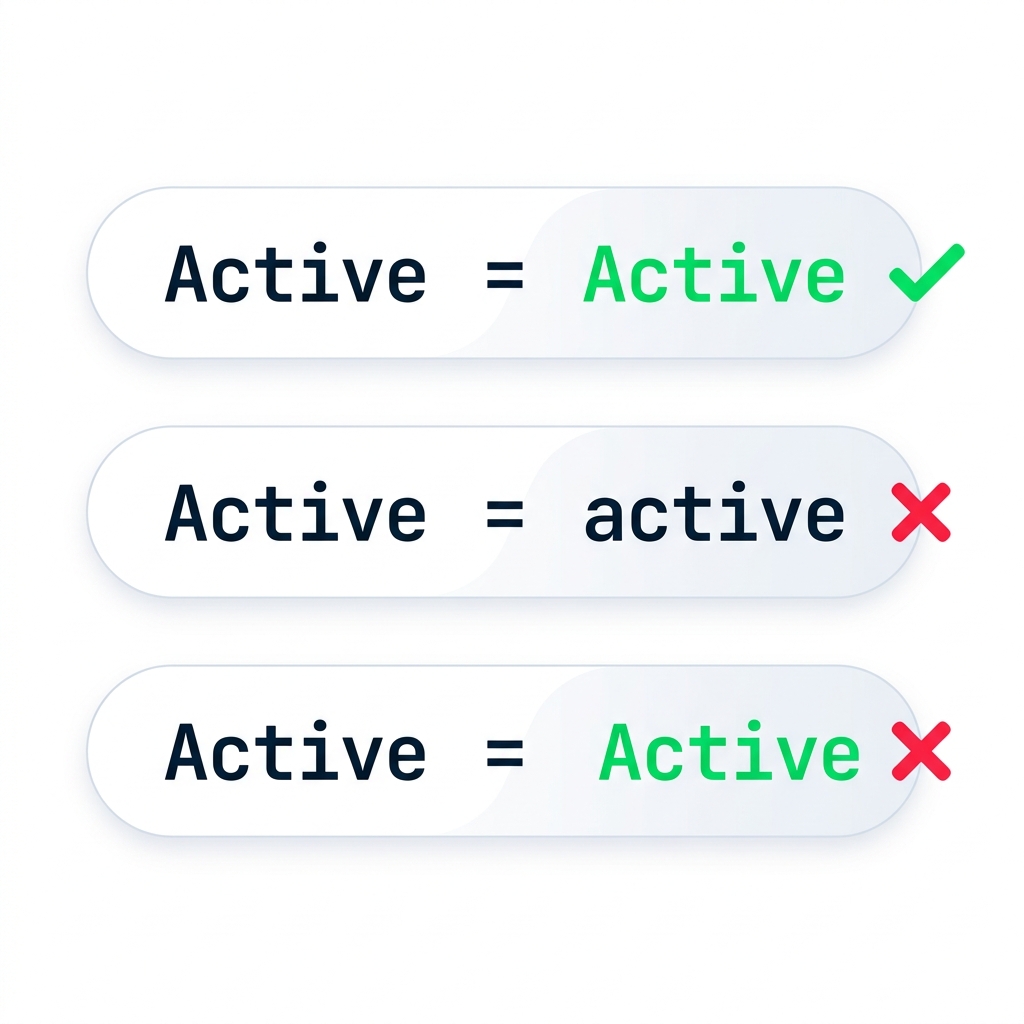
严格匹配:大小写会"咬人"

nanobanana: 纯白背景的扁平插画。三条水平胶囊形行堆叠。顶行:左侧 "Active",等号,右侧 "Active",旁有绿色对勾。中行:左侧 "Active",等号,右侧小写 "active",旁有红色 X。底行:左侧 "Active",等号,右侧 " Active"(前导空格),旁有红色 X。全为等宽字体,极简风,DataCamp 绿色与海军蓝点缀。


  • Switch 逐字符比较
  • 'Active' ❌ 'active' ——大小写不符
  • 末尾空格也会导致不匹配
  • 解决:在 Switch 前用 toLower() 或 trim()
Power Automate 中级

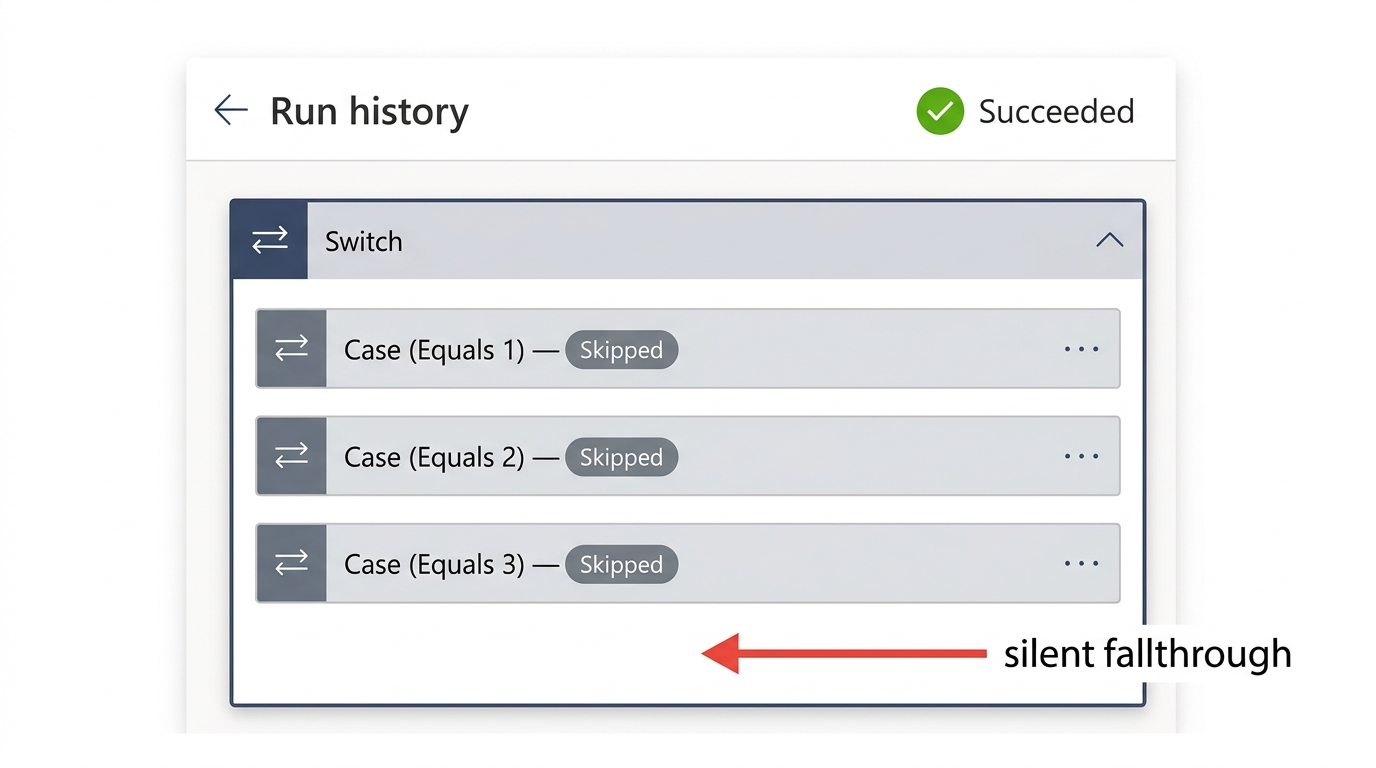
为什么 Default 必不可少


screenshot_switch_run_history_no_default_no_match: Power Automate 运行历史中,展开的 Switch 操作三种情形均为 Skipped,未设置 Default,整体运行状态为绿色 Succeeded


  • 无匹配且无 Default → 运行为绿,但不做事
  • 最糟糕的缺陷——隐形
  • Default 会记录意外的值
Power Automate 中级

让我们一起练习吧!

Power Automate 中级

Preparing Video For Download...