计划与自动化流

Power Automate 入门

Anushika Agarwal

Cloud Data Engineer

计划流与 Recurrence 触发器

$$

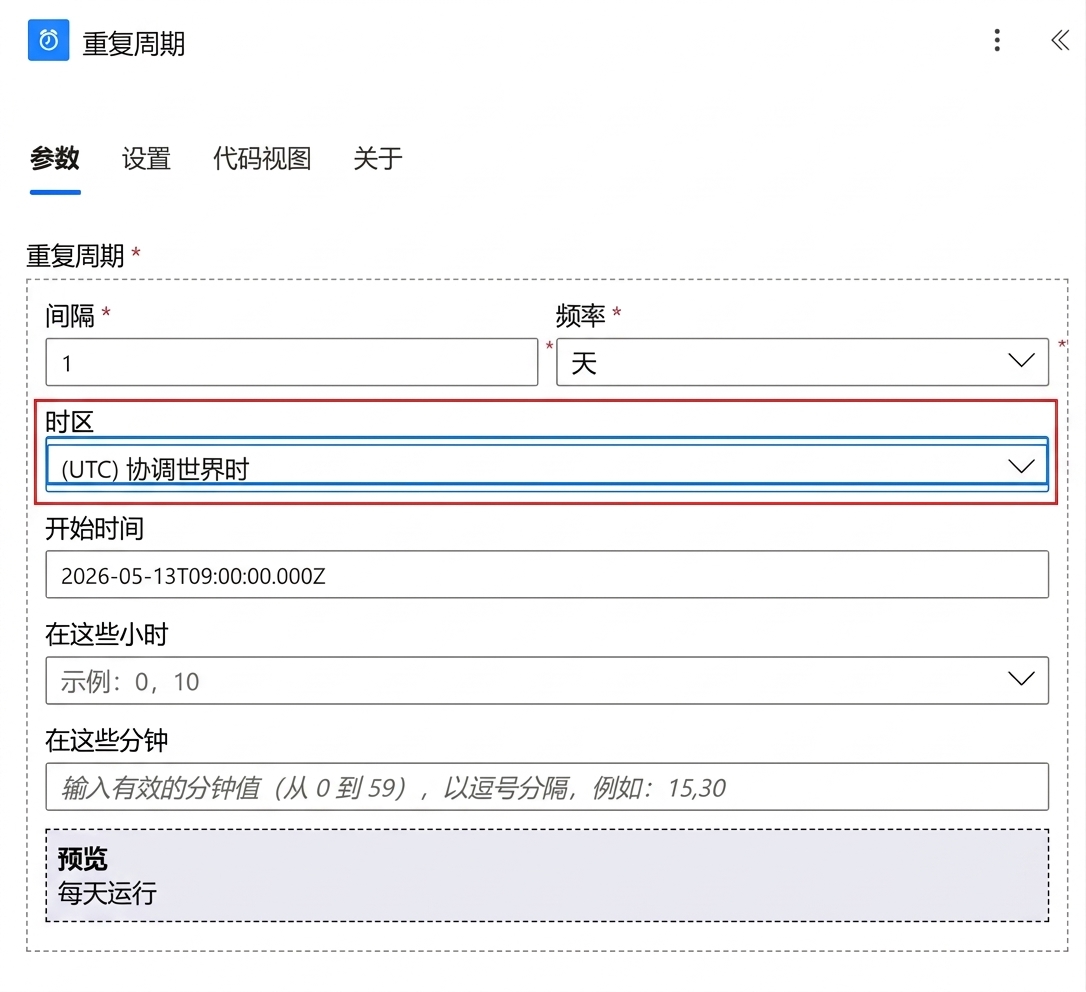
Power Automate 中"Recurrence"触发器卡片的真实截图,显示已配置的 Frequency、Interval、Start time 和 Time zone 字段,其中 Time zone 下拉菜单以红框高亮


  • Scheduled cloud flow = 按时钟运行
  • 由 Recurrence 触发器驱动
  • 设置 Frequency、Interval、Start time

$$

  • 一定要显式设置 Time zone。默认是 UTC
Power Automate 入门

无触发器输出


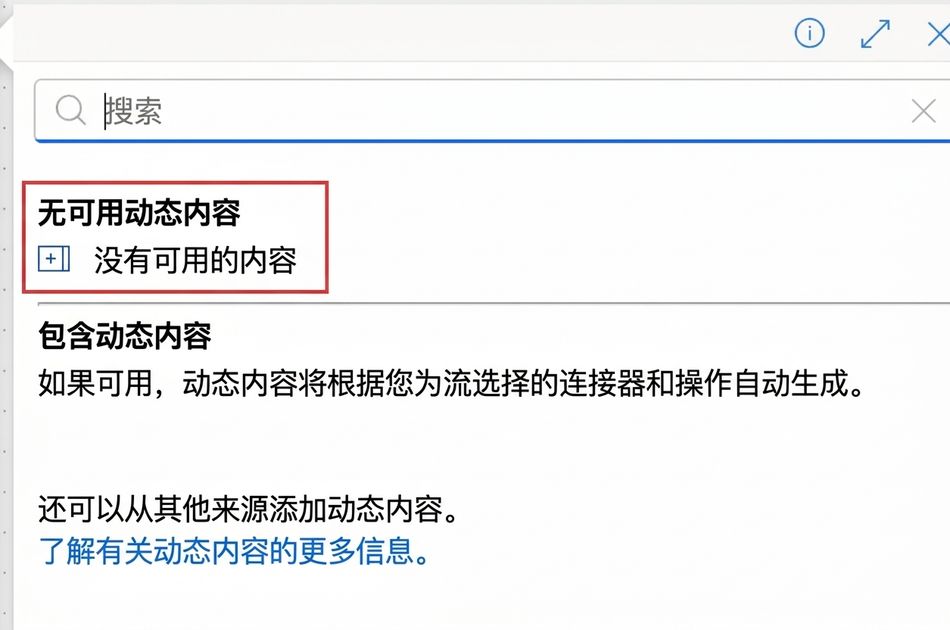
  • Recurrence 没有触发器输出
  • 触发器后的动态内容面板为空
  • 使用表达式生成日期和值

$$

  • addDays(utcNow(), -1) → 昨天的日期

在 Recurrence 触发器之后的 Power Automate 动态内容面板真实截图,裁剪以聚焦面板,本图用红框标出"NO DYNAMIC CONTENT AVAILABLE"标题和"There is no content available"行,后接"INCLUDING DYNAMIC CONTENT"说明段落

Power Automate 入门

自动化触发器


  • 当已连接服务中发生事件时触发
    • "When a new email arrives"(Outlook)
    • "When an item is created"(SharePoint)
    • "When a response is submitted"(Forms)

$$

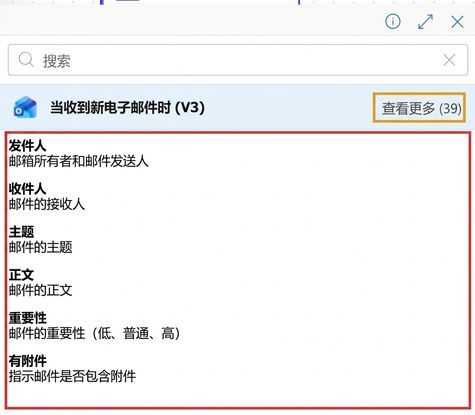
不同于 Recurrence,自动化触发器有丰富输出:事件数据。

在"When a new email arrives"触发器之后的 Power Automate 动态内容面板真实截图,显示已填充的 From、To、Subject、Body、Importance、Has Attachment 等标记,整列标记用紧致红框框出,"See more 39"展开链接用紧致黄框标出,以对比前一页 Recurrence 的空面板

Power Automate 入门

选择正确的触发器


当您需要… 流类型 您将选择的触发器
通过按钮点击按需运行任务 Instant cloud flow Manually trigger a flow
对已连接服务中的事件做出反应 Automated cloud flow "When a new email arrives"、"When an item is created" 等
按固定计划运行流 Scheduled cloud flow Recurrence


Power Automate 入门

让我们一起练习吧!

Power Automate 入门

Preparing Video For Download...