導覽 Power Apps Studio

Power Apps 入門

Luise Freese

Azure & Power Platform Architect

製作入口網站
 

  • 以工作帳戶登入 make.powerapps.com
  • 左側導覽:Home、+ Create、Apps、Tables、Flows
  • 本課程中你建立的一切都在這裡


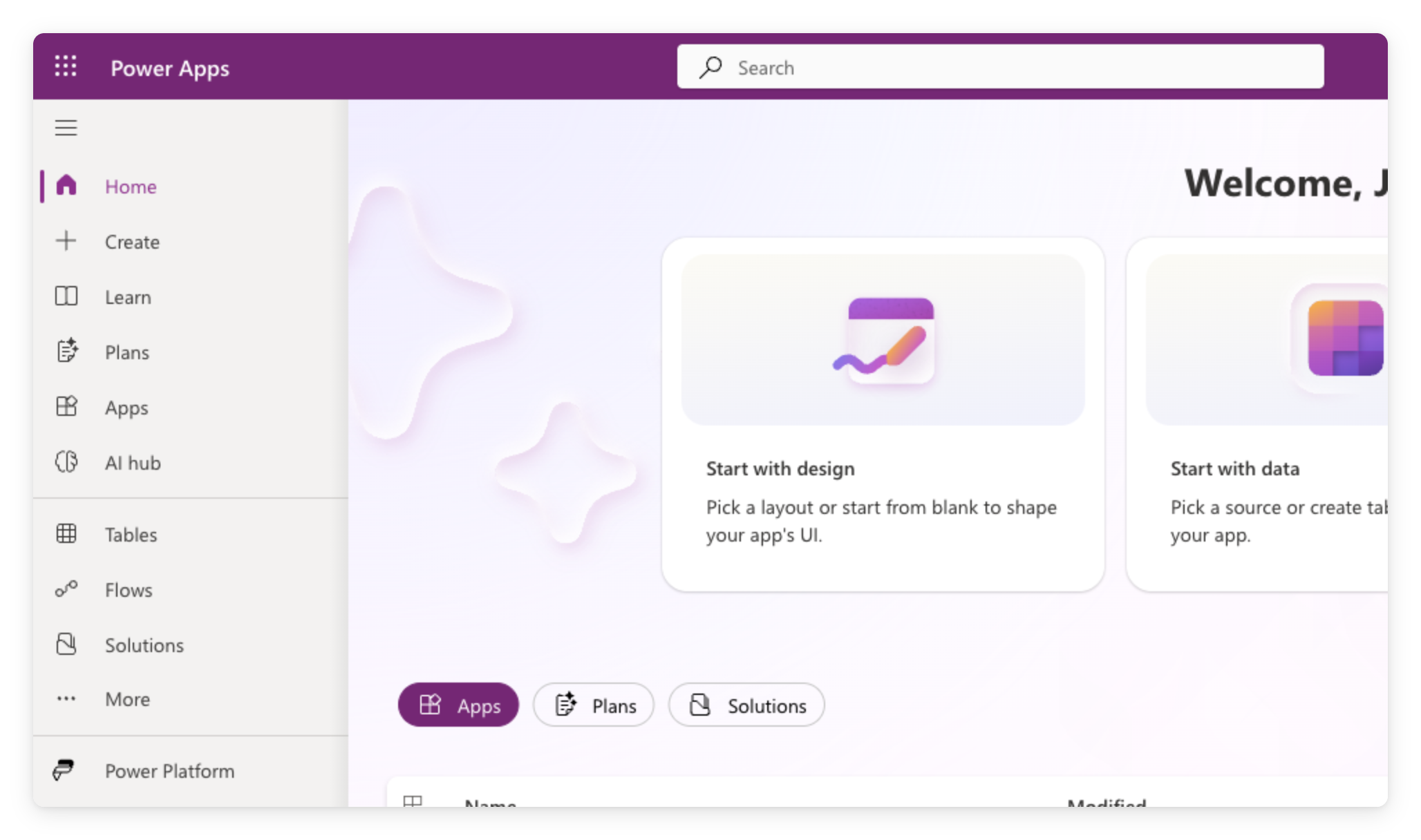
Power Apps 製作入口網站首頁(make.powerapps.com),顯示左側導覽與含「Start-with」方塊的歡迎畫面

Power Apps 入門

建立空白 Canvas 應用程式


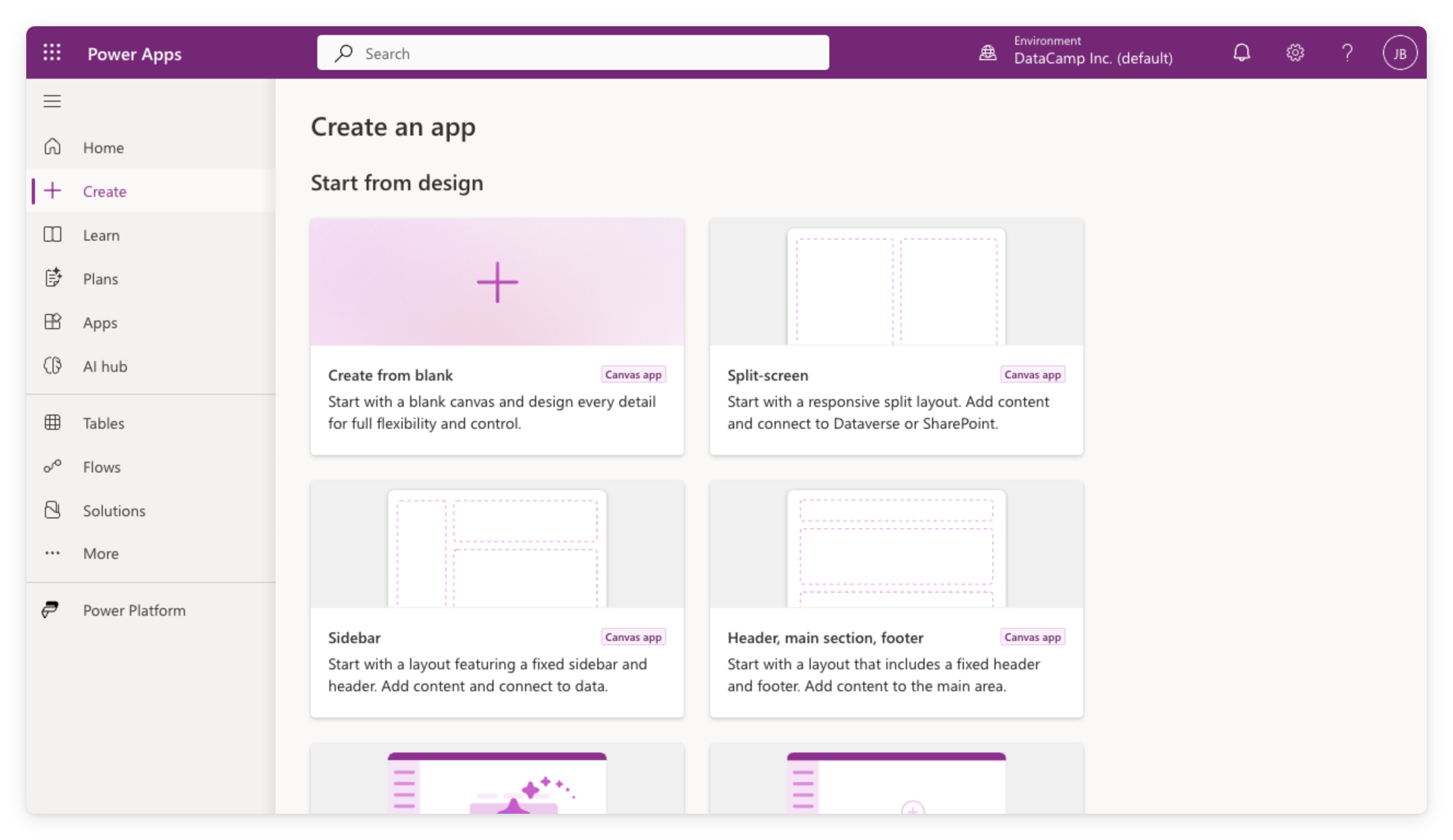
  • 在左側導覽點選 + Create
  • 於 Start from design 底下選 Create from blank
  • 選 Tablet 或 Phone;你會在儲存時再命名


Power Apps 的 Create 頁面(make.powerapps.com),顯示 Start from design 選項:Create from blank、Split-screen、Sidebar、Header 版面

Power Apps 入門

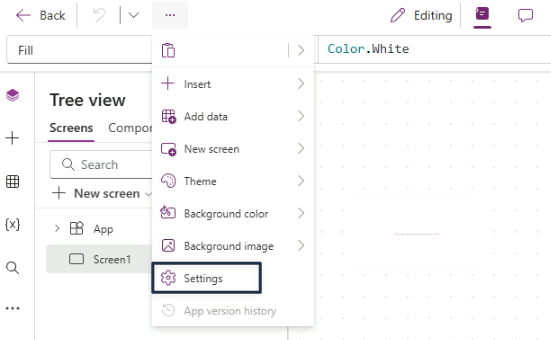
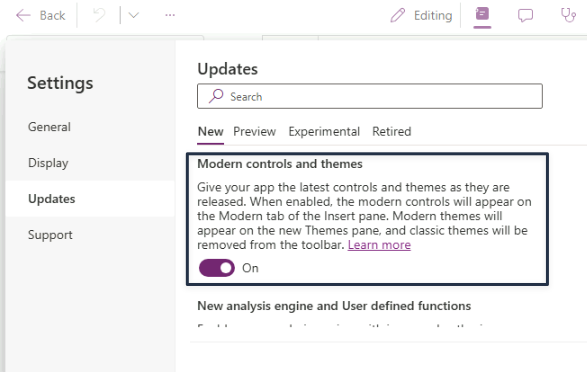
開啟現代控制項

  • App 層級設定
  • 預設關閉
  • 若同事先開啟,就已經啟用


Power Apps Studio 命令列中的三點功能表展開,於 Insert、Add data、New screen、Theme、背景選項下方突顯 Settings


Power Apps 的 Settings 對話方塊在 Updates 分頁,New 子分頁選取,Modern controls and themes 切換為 On

Power Apps 入門

Studio 編輯器導覽


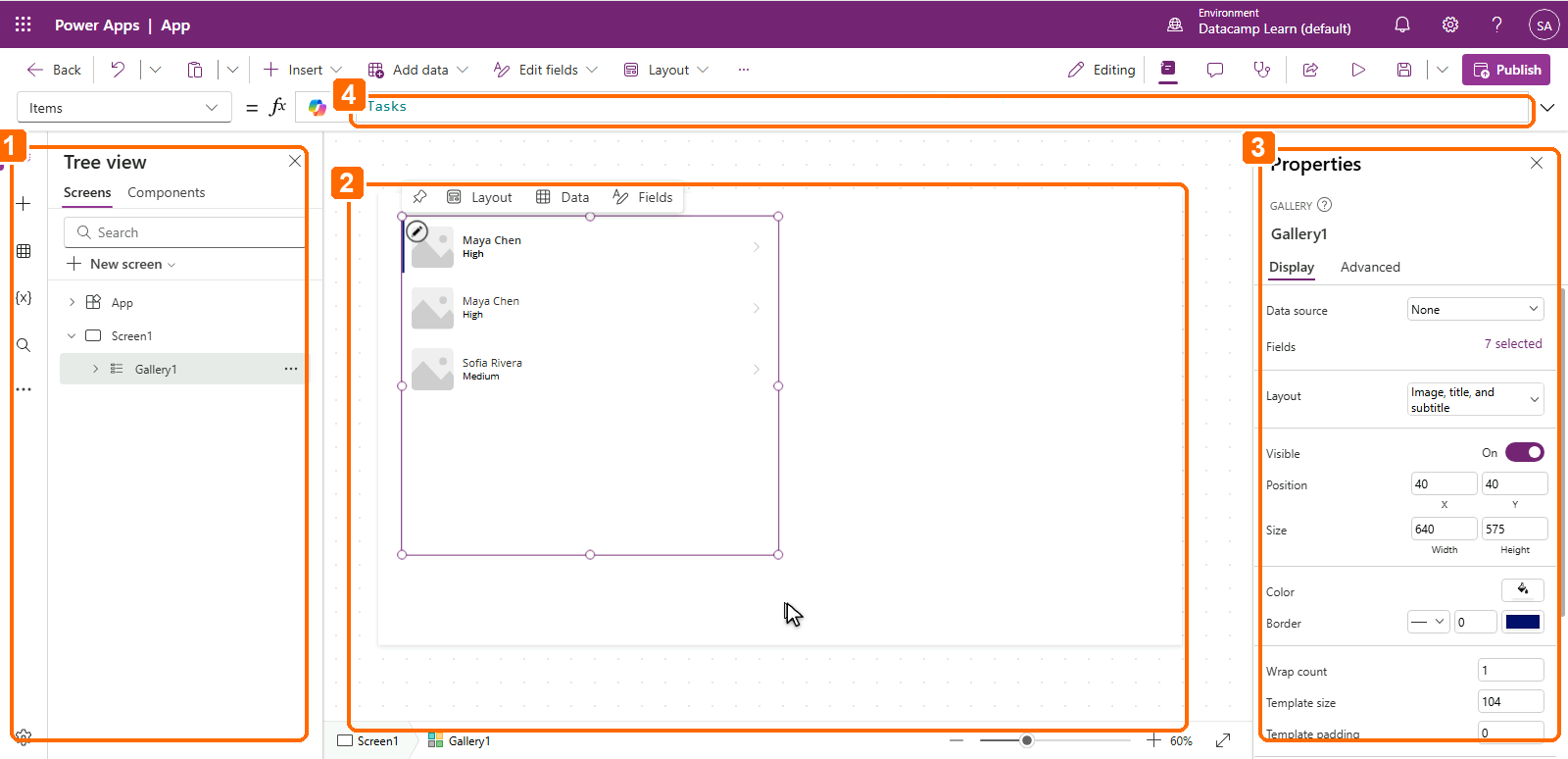
1. Tree View(左):所有畫面與控制項;點選以選取,雙擊可重新命名

2. Canvas(中):以視覺方式排列控制項

3. Properties 面板(右):所選控制項的設定

4. 公式列(上):撰寫 Power Fx 表達式


Power Apps Studio 的四個標示區域:1 為左側 Tree view,2 為中央 canvas,3 為右側 Properties 面板,4 為上方公式列

Power Apps 入門

加入控制項


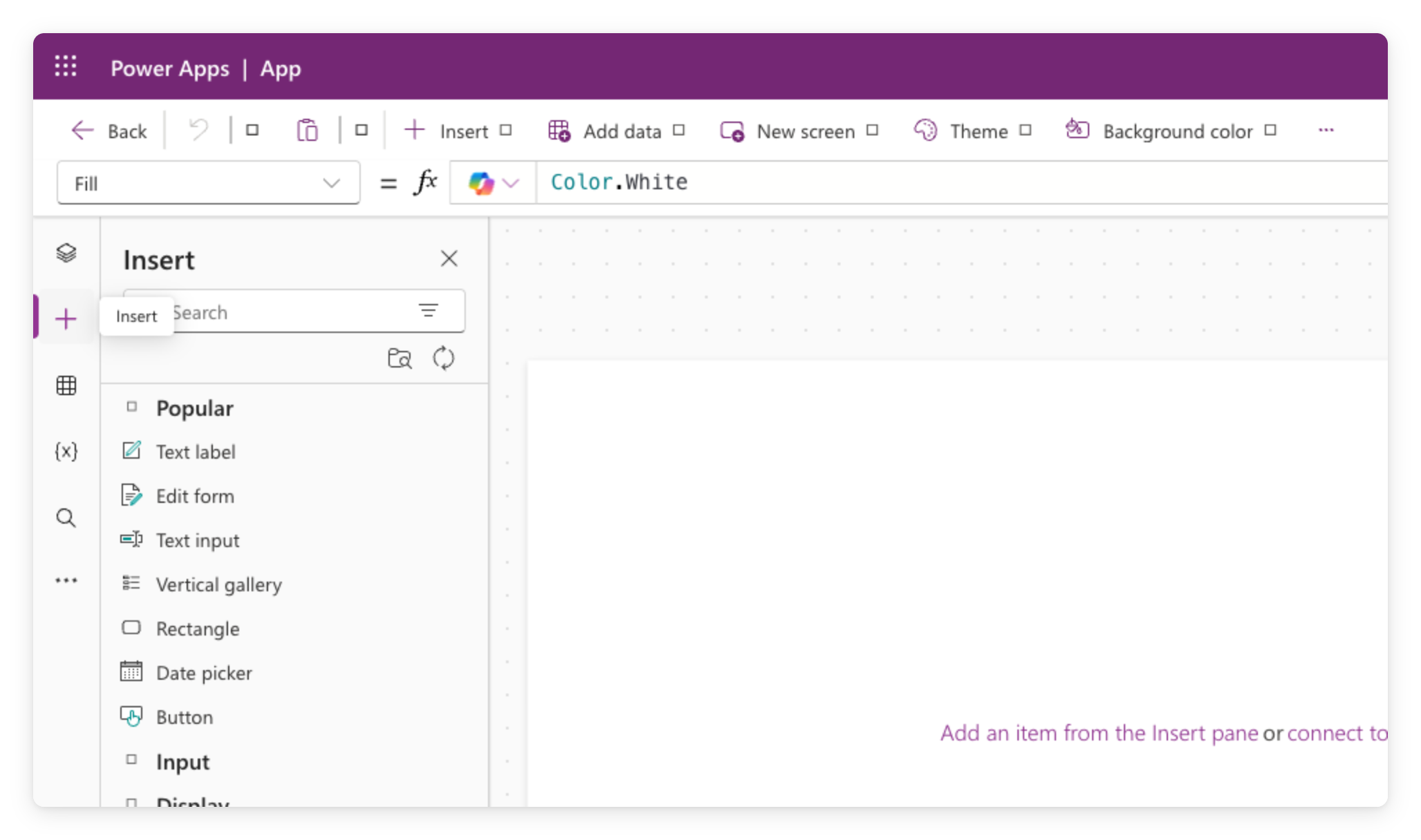
  • 按 + Insert 開啟元件目錄
  • 放入 Text label、Text input、Button
  • 每個控制項都有屬性:Text、Fill、Size 等


Power Apps Studio 工具列開啟 Insert 面板,列出控制項類別如 Text label、Button、Gallery

Power Apps 入門

預覽你的應用程式


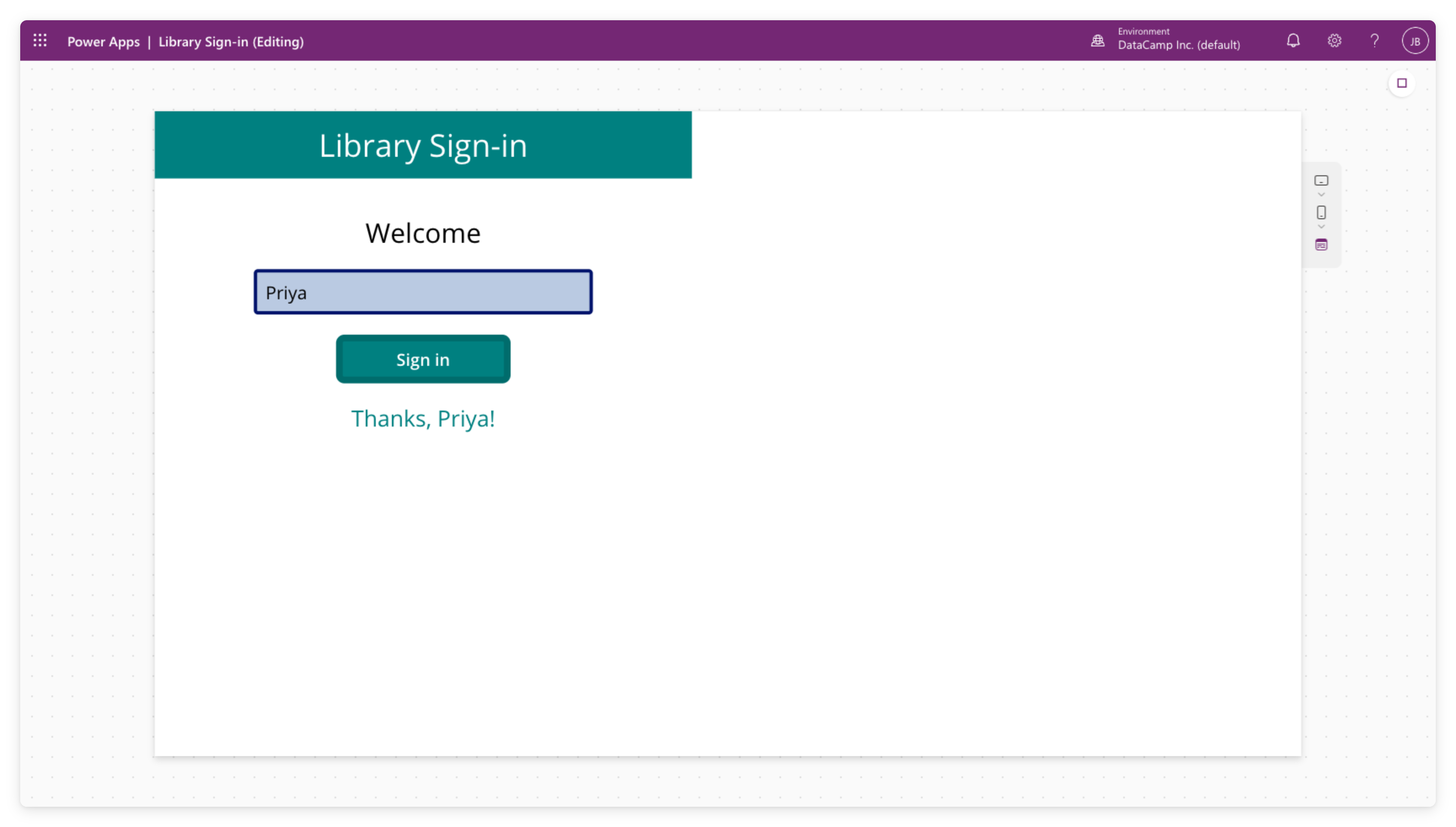
Power Apps Studio 的預覽模式,顯示應用程式執行中


  • 按右上角 ▷ 播放鈕以執行應用程式
  • 點按按鈕、在輸入框輸入,行為與「真正」的 app 相同
  • 按 ✕ 返回編輯器
Power Apps 入門

Save 與 Publish 的差異


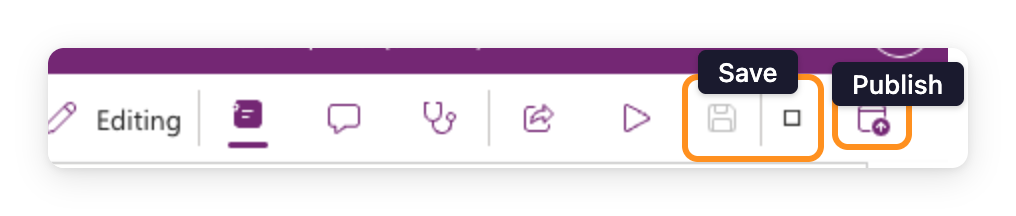
  • Save:保存你的工作
  • Publish:將此版本發布給你分享對象
  • 我們會在 第 4 章 正式發布

$$

Power Apps Studio 工具列右上角突顯 Save 與 Publish 圖示,旁有 Editing、Properties、Comments、App Checker、Share、Preview 按鈕

Power Apps 入門

容器稍後再談

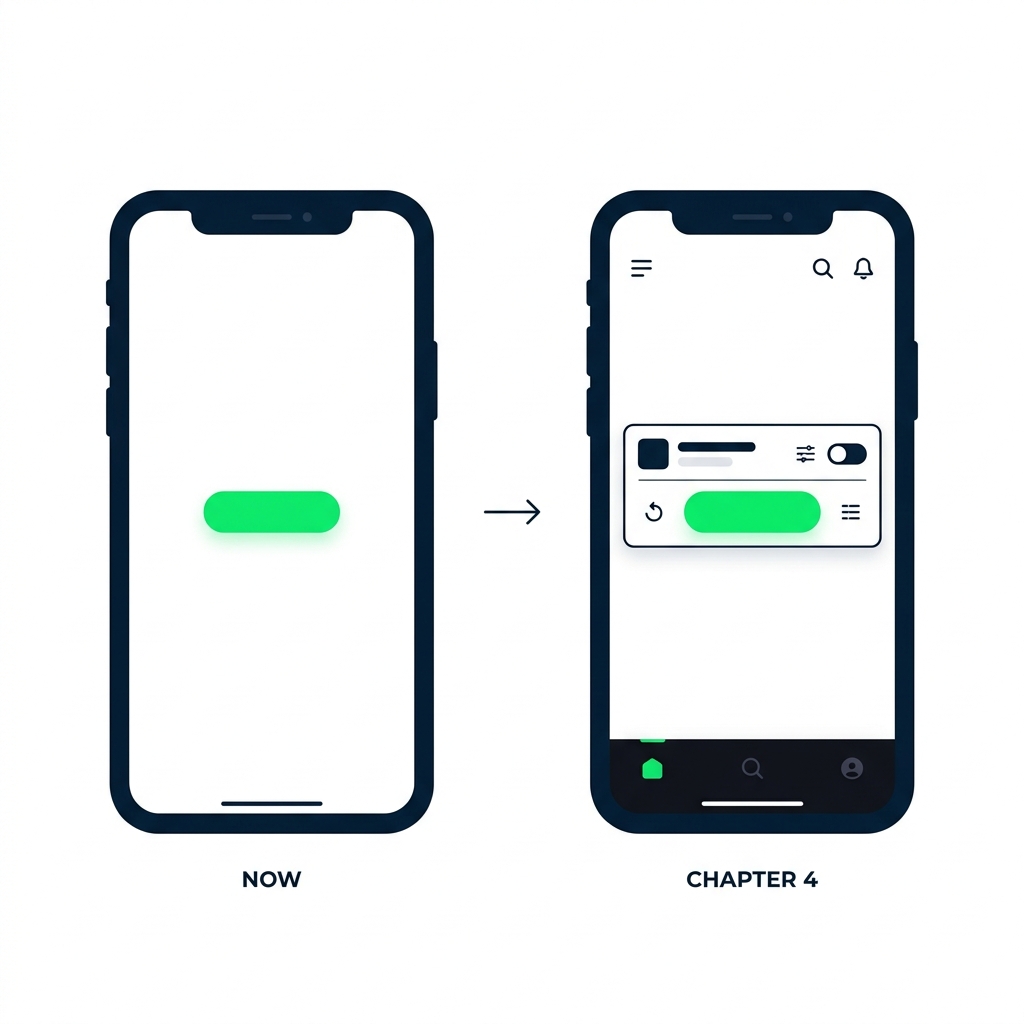
兩個手機 App 畫面並排。左側標示「Now:blank screen」,僅有一個按鈕在空白畫布上。右側標示「Chapter 4:layouts」,同一按鈕置於水平容器中,周圍有其他對齊的控制項。


  • 接下來:空白畫面,讓你看清每個控制項
  • 第 4 章:版面容器,讓 app 保持回應式
  • 目前先別擔心對齊
Power Apps 入門

你將完成的內容


  • 建立一個 空白 canvas 應用程式
  • 新增 兩個畫面 與第一批控制項
  • 用 ▷ 播放鈕 預覽 全部

$$

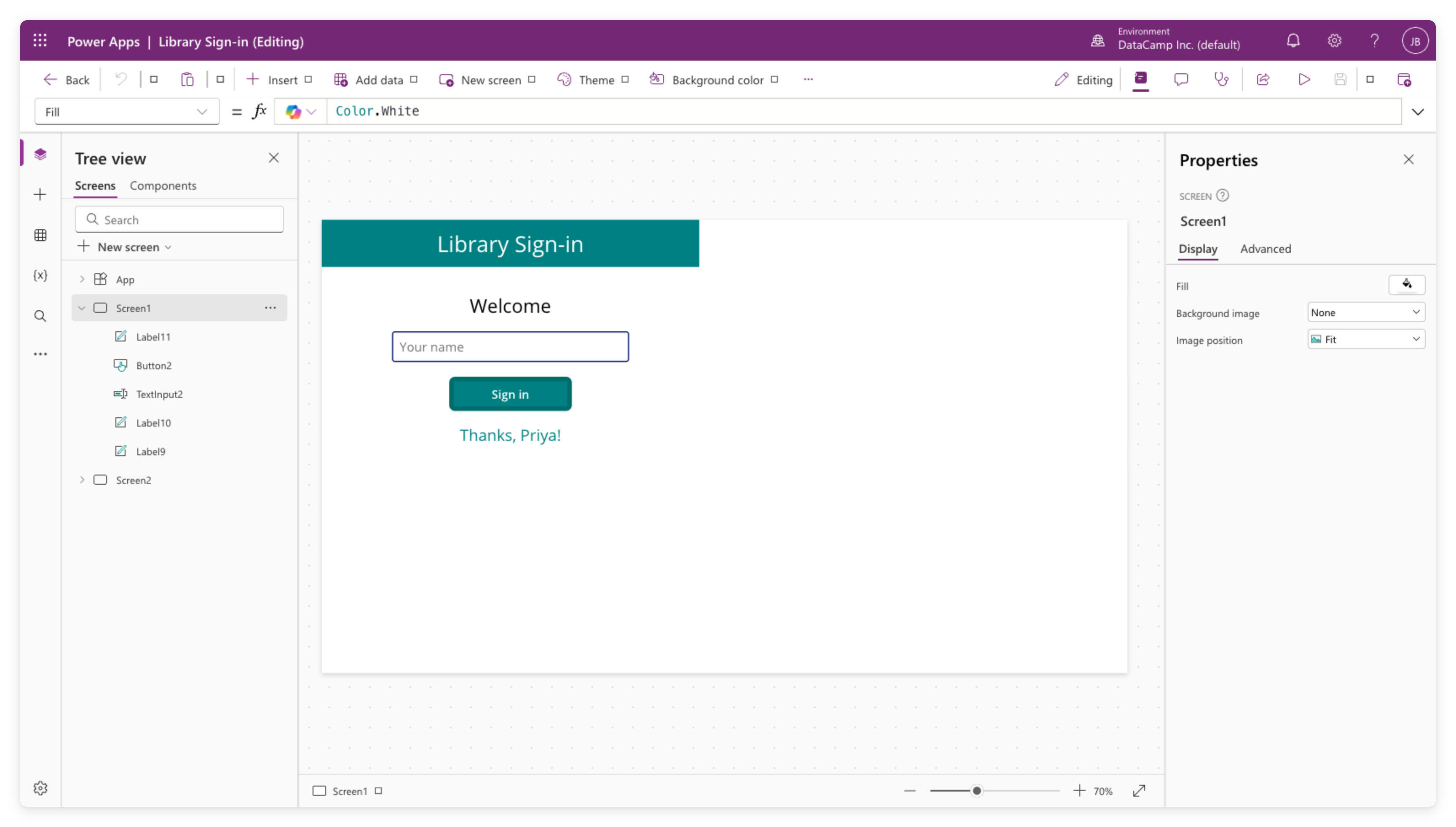
Power Apps Studio 的實際畫面,顯示 Library Sign-in 應用:左側 Tree View 列出 Screen1(含 Label、Button、TextInput 控制項)與 Screen2;畫布中為登入畫面(青色標頭、Welcome 文字、姓名輸入、Sign in 按鈕、Thanks Priya 訊息);右側為 Properties 面板

Power Apps 入門

一起來練習吧!

Power Apps 入門

Preparing Video For Download...