Your first controls

Power Apps परिचय

Luise Freese

Azure & Power Platform Architect

Controls हैं building blocks
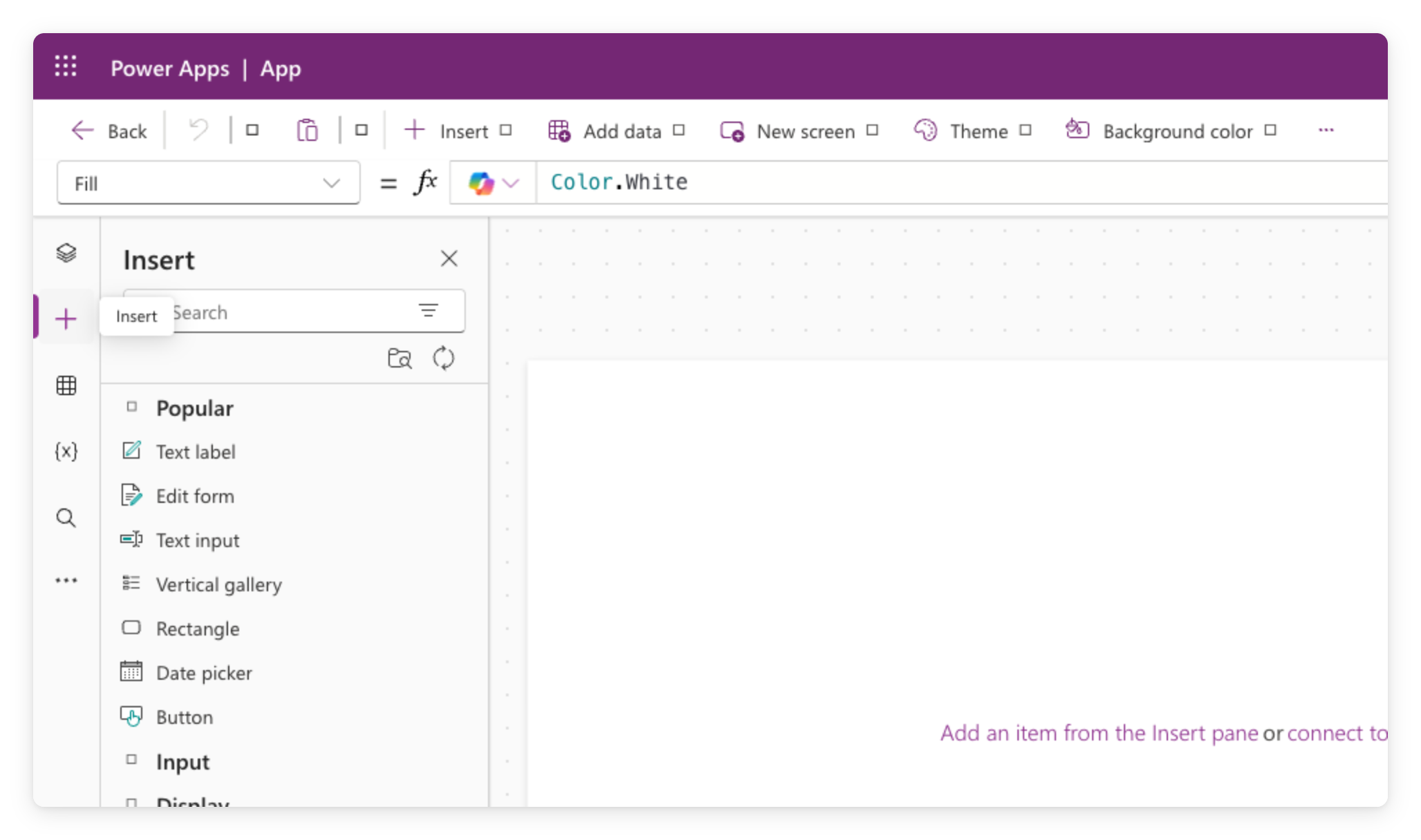
 

  • Controls हर canvas app के building blocks हैं
  • हर control एक काम करता है: text दिखाना, input लेना, action ट्रिगर करना
  • इन्हें editor के ऊपर की formula bar से कॉन्फ़िगर करें


टूलबार से खुला Power Apps Studio Insert पैनल, जिसमें Text label, Button, और Gallery जैसी control श्रेणियाँ सूचीबद्ध हैं

Power Apps परिचय

Text input से पढ़ना


  • Text Input में यूज़र जो भी टाइप करे, वह रहता है
  • इसका current मान TextInput1.Text में मिलता है
  • उसे कहीं भी रेफ़र करें, जैसे Label के Text में


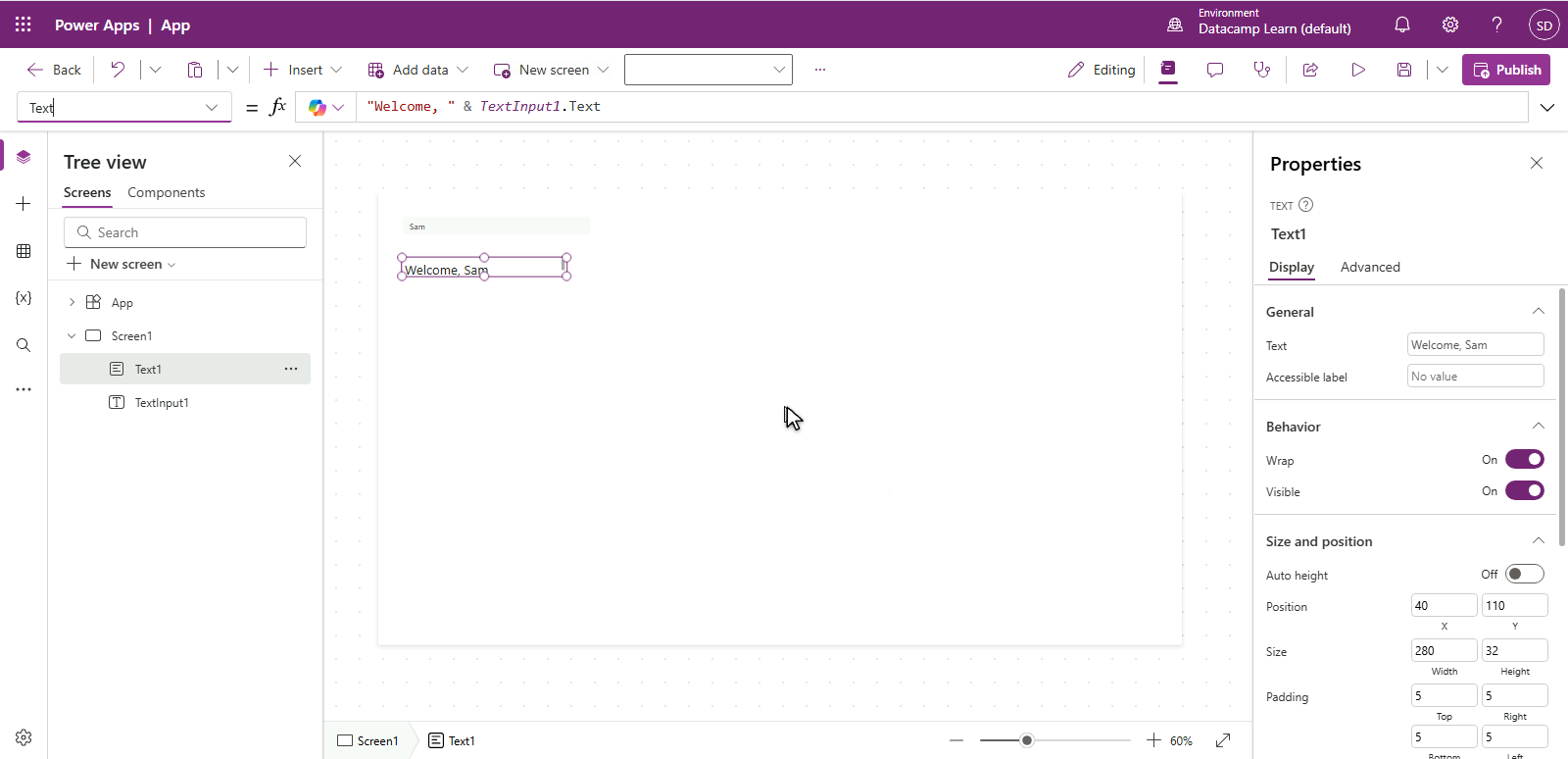
Power Apps Studio में एक लेबल चुना हुआ है, formula bar में Text = "Welcome, " & TextInput1.Text, इसलिए लेबल ऊपर के टेक्स्ट इनपुट से "Welcome, Sam" दिखा रहा है

Power Apps परिचय

Set() के साथ variables


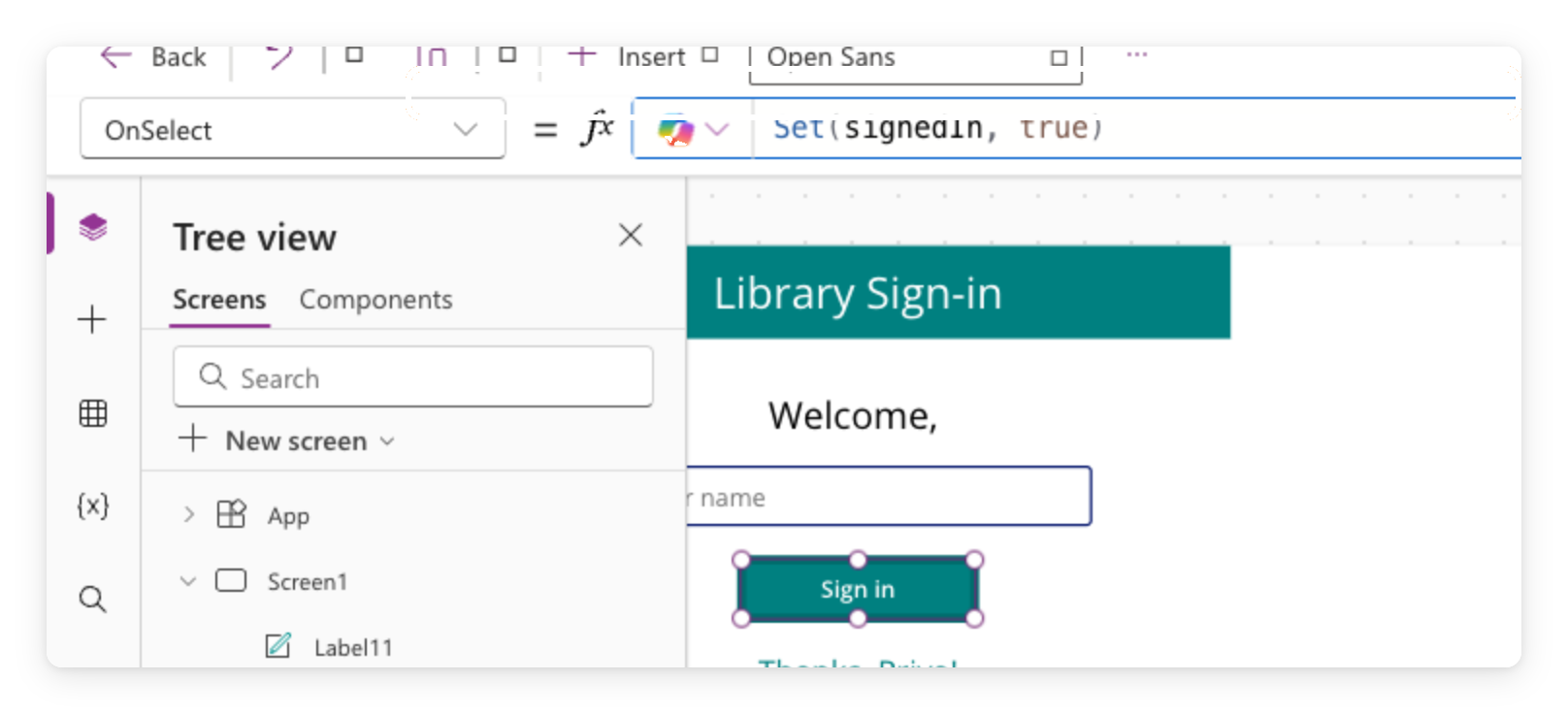
Power Apps Studio में Button2 चुना है, formula bar में OnSelect = Set(isSignedIn, true), और कैनवास पर Sign in बटन हाइलाइटेड है


  • Variable कई actions के बीच मान संभालती है
  • Set(isSignedIn, true) नाम isSignedIn वाली बनाता है
  • यही Set() फिर Chapter 3 में मिलेगा
Power Apps परिचय

If() के साथ conditional display


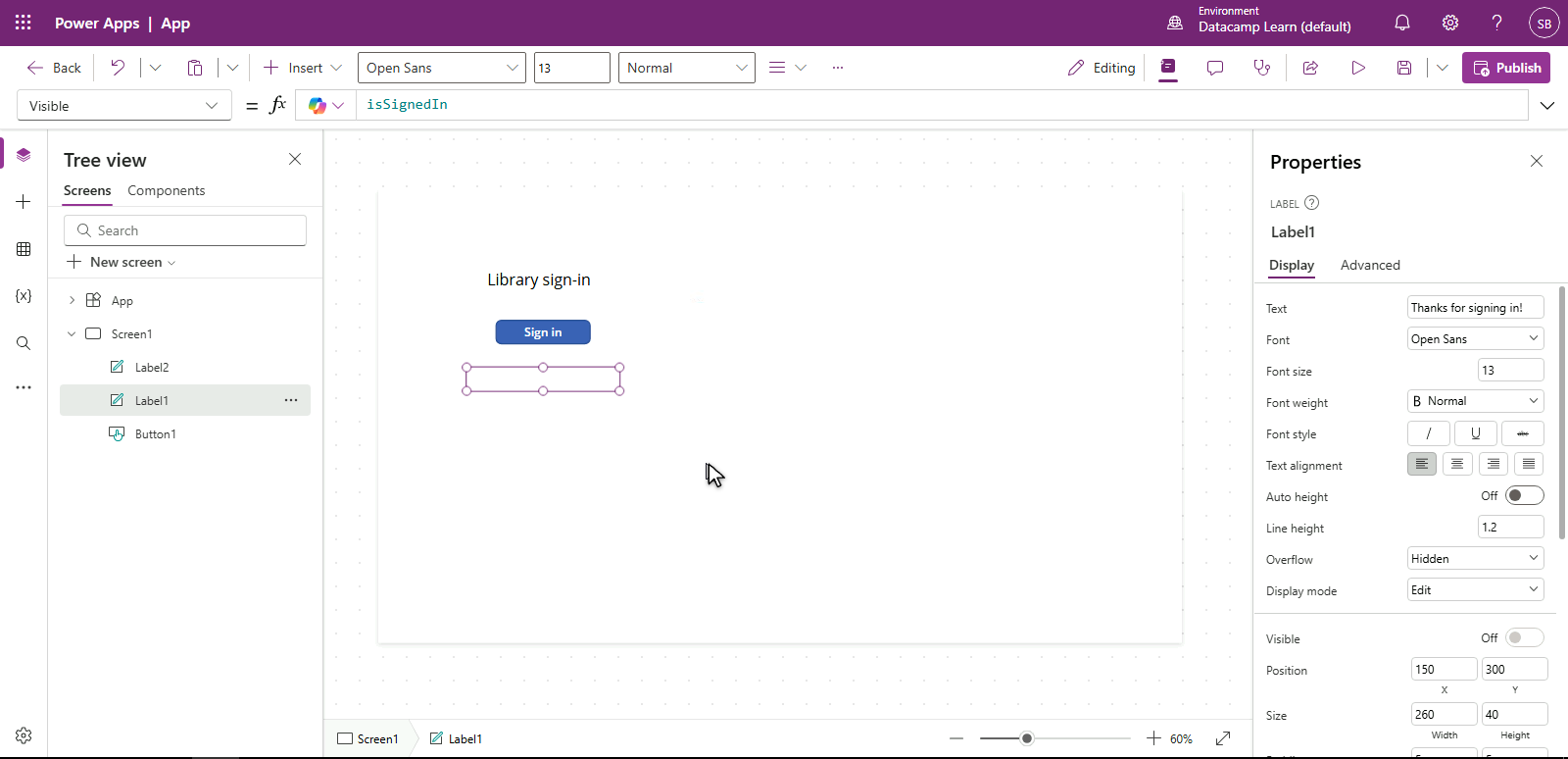
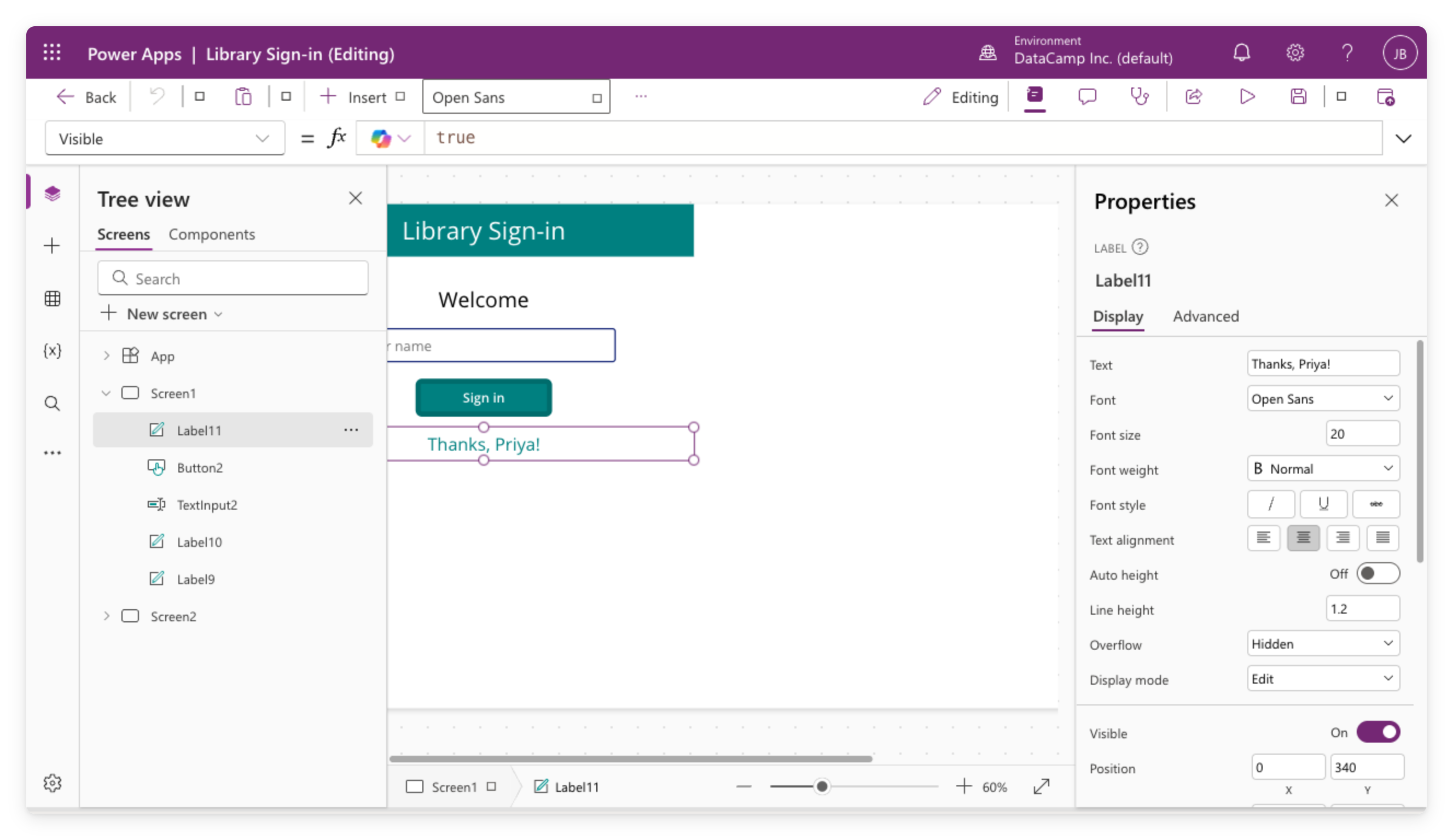
  • Visible = isSignedIn Label तभी दिखाए जब true हो
  • बटन दबाएँ → variable अपडेट → Label दिखेगा
  • दो-तरफा चयन के लिए If(condition, value-if-true, value-if-false)

$$

Power Apps Studio में thank-you लेबल चुना है, formula bar में Visible = isSignedIn, और isSignedIn false होने से लेबल छिपा है

Power Apps परिचय

Themes, one-by-one styling से बेहतर


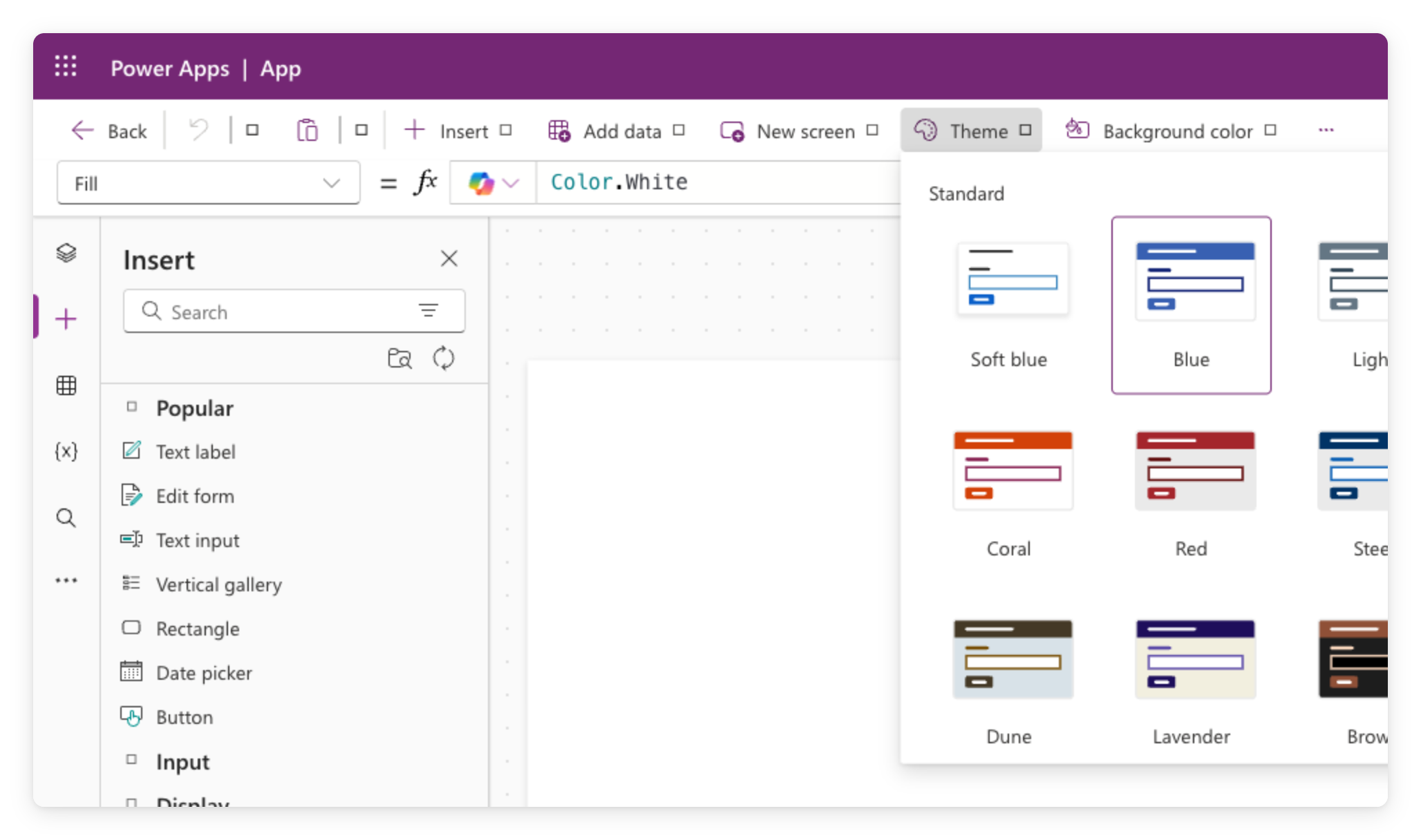
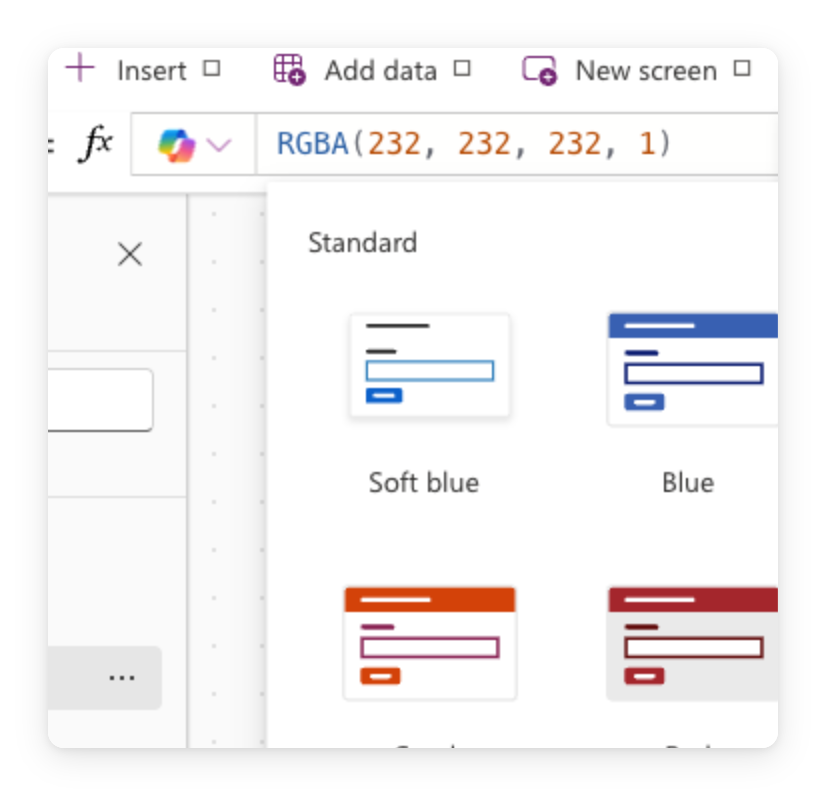
Power Apps Studio Theme पिकर, पूरे ऐप पर लागू होने वाले रंग थीम प्रीव्यू की ग्रिड दिखाता है


  • Theme पैलेट, टाइपोग्राफी, बॉर्डर, शैडो सेट करता है → app-wide
  • हर modern control इसे इनहेरिट करता है → एक बदलाव से सब re-theme
  • Size, shape, orientation हर control पर अलग रहते हैं
Power Apps परिचय

एक accent override करना

  $$

किसी एक control को उभारना है?

  • उसे चुनें, उसका Fill सीधे सेट करें: RGBA(...) या Color.Teal
  • कम इस्तेमाल करें, यह theme को override करता है

Power Apps कैनवास का वास्तविक स्क्रीनशॉट, Steel थीम लागू है और एक accent override है

Power Apps परिचय

Summary

Power Apps Studio में खुला Library Sign-in कैनवास ऐप, tree view, कैनवास controls, formula bar, और properties पैनल दिखाता है

  • Text Input formula bar के ज़रिए दूसरे controls को live feed करता है
  • Set() मान स्टोर करता है, If() उसी आधार पर show/hide करता है
  • Theme हर screen को साथ स्टाइल करता है; accent के लिए किसी एक control का Fill override करें
Power Apps परिचय

अभ्यास करते हैं!

Power Apps परिचय

Preparing Video For Download...