डेटा को फ़िल्टर और खोजें

Power Apps परिचय

Luise Freese

Azure & Power Platform Architect

Filter()

 

  • Filter(source, condition) मिलती हुई rows लौटाता है
  • इसे gallery की Items property में लगाएँ
  • उदाहरण:

    Filter(Tasks, Status = "In progress")

कई rows को छाँटकर कुछ matching results तक लाने वाला डेटा फ़नल का चित्रण

Power Apps परिचय

Dropdown से जोड़ें

$$

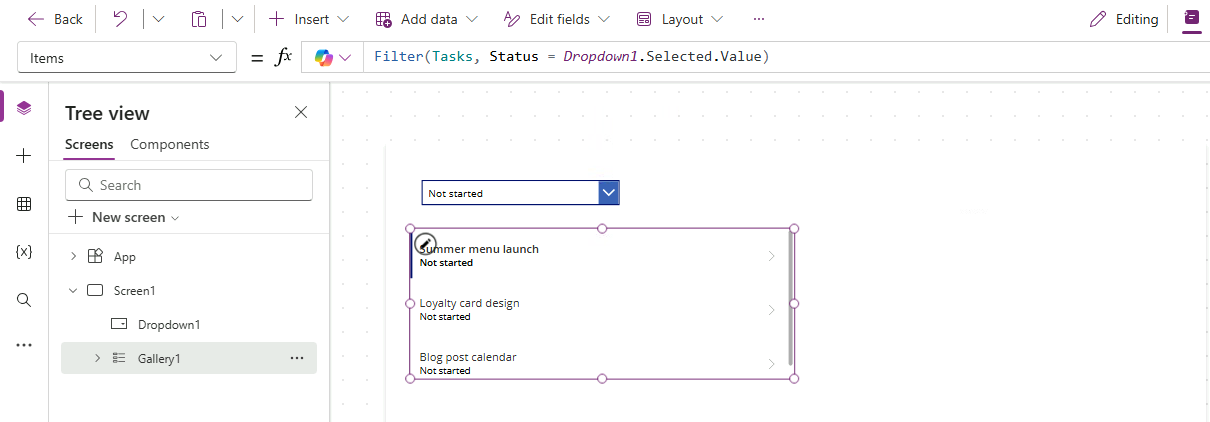
Power Apps Studio: Status dropdown Not started पर सेट, नीचे gallery. gallery की Items फ़ॉर्मूला: Filter(Tasks, Status = Dropdown1.Selected.Value), इसलिए gallery में सिर्फ Not started tasks दिखते हैं


  • Dropdown की Items में status options की सूची रखें
  • gallery फ़िल्टर में Dropdown1.Selected.Value रेफ़र करें
  • कोई status चुनें → gallery तुरंत सिमटती है
Power Apps परिचय

StartsWith बनाम Search


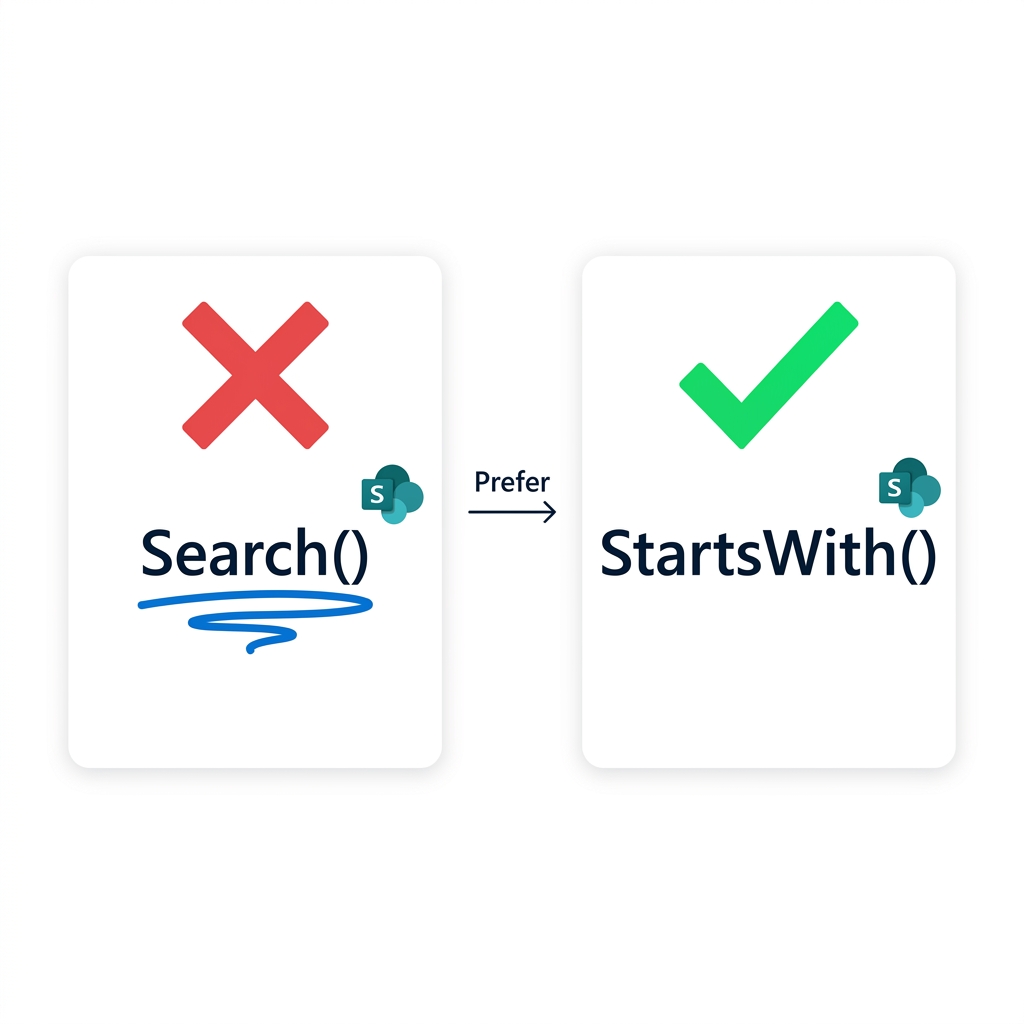
  • Search(), substrings को कहीं भी match करता है
  • …पर अधिकांश sources पर delegate नहीं करता
  • StartsWith() delegate करता है

तुलना: Search() पर लाल X और delegation warning, बनाम StartsWith() पर हरा चेक और बिना warning, तीर "Prefer" लेबल के साथ

Power Apps परिचय

Delegation warning

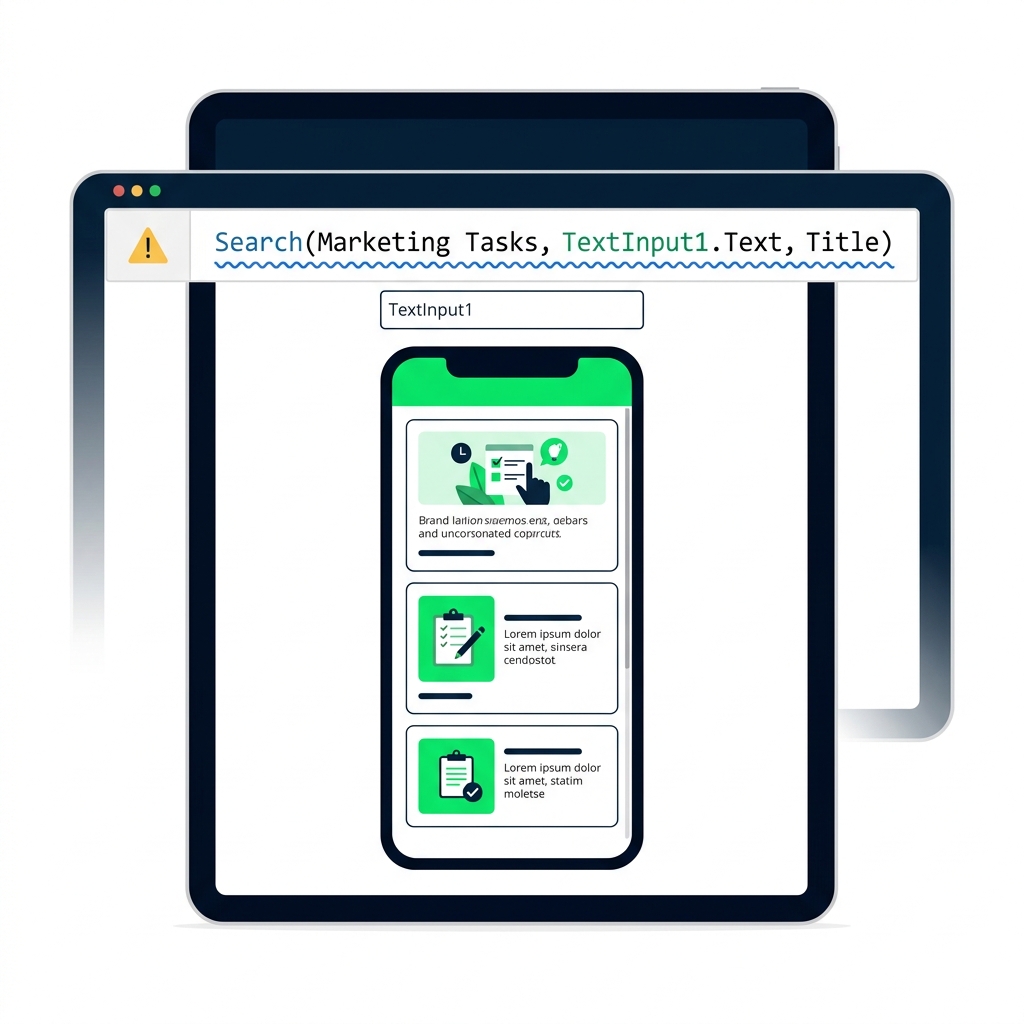
Power Apps फ़ॉर्मूला बार में नीली लहरदार रेखा वाली delegation warning अंडरलाइन, और पीला tooltip: "Delegation warning: results may be incomplete"


  • नीली लहरदार रेखा का मतलब Power Apps आपकी फ़ॉर्मूला push नहीं कर सकता
  • छोटे datasets पर चलेगा, बड़े पर चुपचाप truncate करेगा
  • इसे हमेशा नोटिस करें; हो सके तो फ़ॉर्मूला फिर लिखें
Power Apps परिचय

Filter और StartsWith को जोड़ना


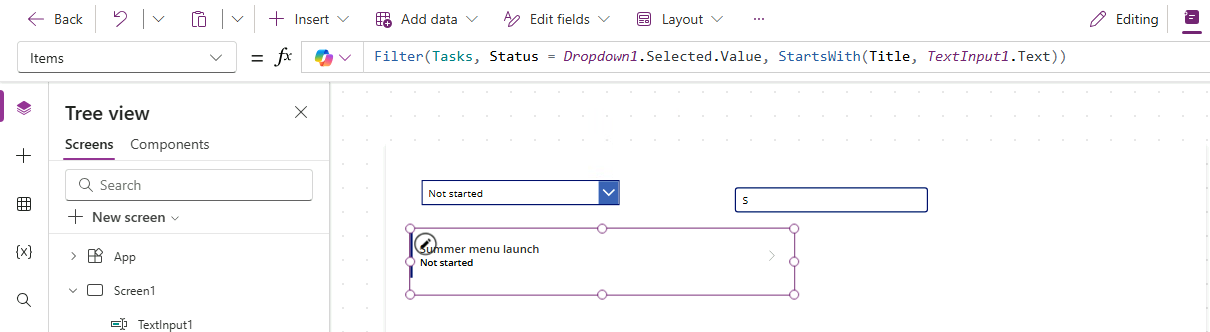
  • एक Filter() में कई conditions हो सकती हैं
  • उन्हें comma से अलग रखें; सभी match होनी चाहिए
  • उदाहरण:

Filter(src, Status = sel, StartsWith(Title, txt))


$$

Power Apps Studio: Status dropdown और search box gallery के ऊपर; gallery की Items: Filter(Tasks, Status = Dropdown1.Selected.Value, StartsWith(Title, TextInput1.Text)), जिससे सूची एक matching task तक सिमटती है

Power Apps परिचय

आप क्या बनाएँगे

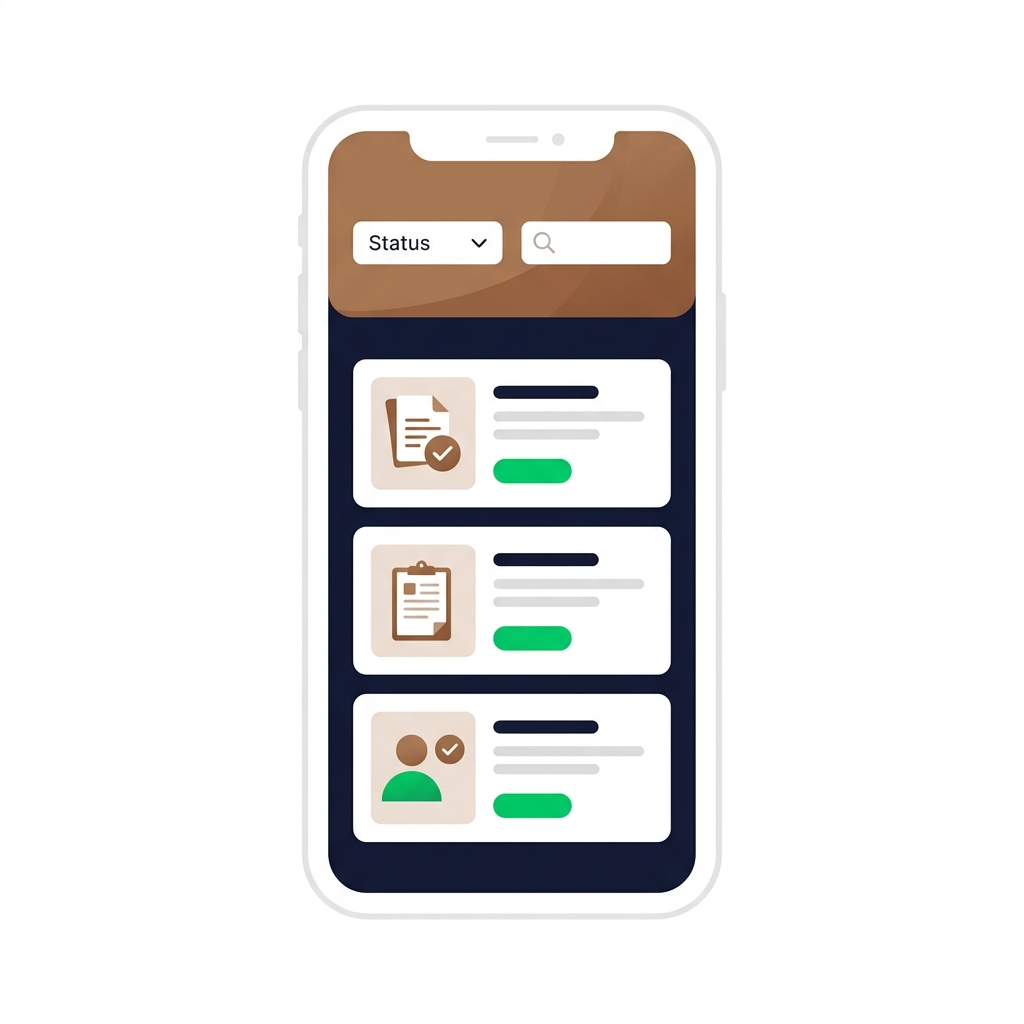
Final Lumen ऐप: Status dropdown और search box के साथ, फ़िल्टर हुई task cards की gallery; गर्म कॉफी-भूरे accents


  • Dropdown से status द्वारा filter करें
  • StartsWith से title द्वारा search करें
  • दोनों को जोड़कर एक ही filter बनाएँ
Power Apps परिचय

अभ्यास करते हैं!

Power Apps परिचय

Preparing Video For Download...