การสร้างไฟล์ CLAUDE.md ที่มีประสิทธิภาพ

การพัฒนาซอฟต์แวร์ด้วย Claude Code

Dani Zysman

AI Curriculum Manager @ DataCamp

แนวทางปฏิบัติที่ดีสำหรับ CLAUDE.md

  • เริ่มต้นด้วย /init แล้วทำซ้ำ
    • เพิ่มบริบทเมื่อ Claude ทำผิดพลาด
    • รวมการเปลี่ยนแปลงข้อตกลง
  • เป้าหมาย: เอกสารที่มีชีวิตซึ่งพัฒนาไปพร้อมกับโปรเจกต์
การพัฒนาซอฟต์แวร์ด้วย Claude Code

โปรเจกต์จนถึงตอนนี้

music-analytics-api/
  app.py           # Application entry point
  routes.py        # API endpoints
  models.py        # Artist/Album models
  analytics.py     # Statistics functions
  middleware.py    # Request logging
  config.py        # Session settings
  CLAUDE.md        # <- Project memory file
การพัฒนาซอฟต์แวร์ด้วย Claude Code

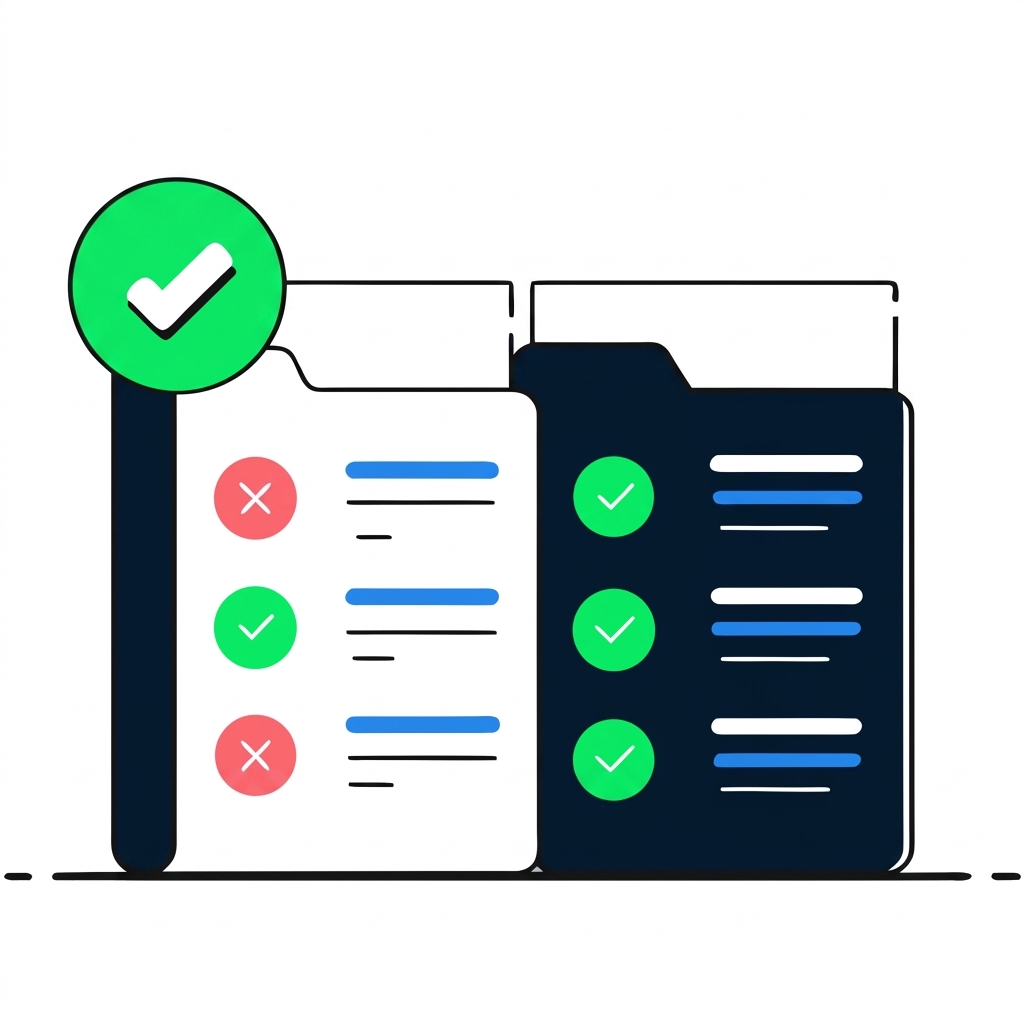
สิ่งที่ควรใส่และไม่ควรใส่ใน CLAUDE.md

recraft: สิ่งที่ควรใส่และไม่ควรใส่ใน CLAUDE.md

กฎ: ถ้ายาวกว่าสติกเกอร์โน้ตหนึ่งแผ่น แสดงว่าไม่ควรใส่ไว้ที่นี่

การพัฒนาซอฟต์แวร์ด้วย Claude Code

การปรับปรุง CLAUDE.md แบบทำซ้ำ

> Add error handling to the /artists endpoint.
Done. I've added error handling to /artists (routes.py:9-19):
- Try-except block wrapping retrieval and serialization
- AttributeError handler if the data store isn't initialized
- General exception handler returning error details with 500 status

return jsonify({'error': f'Failed to retrieve artists: {str(e)}'}), 500
> Don't expose exception details to users, that's a security risk. Log internally 
and return a generic message.  Update CLAUDE.md.
Updated /artists to log errors internally and return a 
generic 500 message. CLAUDE.md updated with the convention: 
never expose exception details in responses.
การพัฒนาซอฟต์แวร์ด้วย Claude Code

CLAUDE.md แบบดี vs. แบบยืดยาวเกินไป

ยืดยาวเกินไป (มากกว่า 200 บรรทัด)

# Inventory API
This is an Inventory Management 
API built with Flask...

## Full Source Code
### routes.py
from flask import jsonify...
[entire file pasted]

### models.py
[entire file pasted]

## API Documentation
GET /items returns...

ดี (15 บรรทัด)

# Inventory API
Flask REST API for inventory.

## Commands
- Run: flask run --port 5001
- Test: pytest tests/

## Conventions
- Use type hints
- Keep routes thin
การพัฒนาซอฟต์แวร์ด้วย Claude Code

การอ้างอิงไฟล์ - ใช้ @

> @routes.py what endpoints does this API have?
API Endpoints (6 GET routes)

Artists
- GET /artists              All artists
- GET /artists/<id>         Single artist by ID
- GET /artists/<id>/albums  Albums for an artist
Albums
- GET /albums               All albums
- GET /stats/albums         Album popularity statistics
- GET /stats/average-tracks Average track count per album

All endpoints return JSON.
การพัฒนาซอฟต์แวร์ด้วย Claude Code

CLAUDE.md + @ ใช้ร่วมกัน

# CLAUDE.md - Music Analytics API
A Flask-based REST API for music data analytics, providing endpoints for artists,
albums, and statistics.
...

## Key Files @routes.py - API endpoint definition @models.py - Artist and Album data models with in-memory store ...

CLAUDE.md ให้บริบทที่คงอยู่ตลอดเวลา ใช้ @ เพื่อให้ Claude รู้จักไฟล์สำคัญเสมอ

การพัฒนาซอฟต์แวร์ด้วย Claude Code

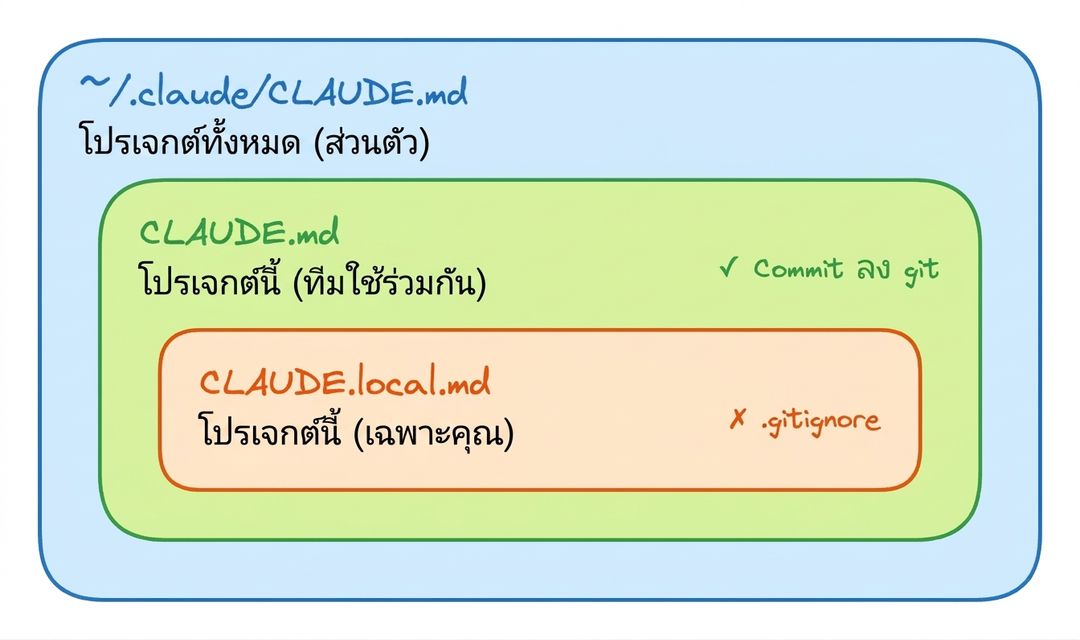
บริบทสามระดับ

สามระดับของบริบท CLAUDE.md

การพัฒนาซอฟต์แวร์ด้วย Claude Code

เมื่อไหร่ควรใช้แบบไหน

  • CLAUDE.md (โปรเจกต์, ใช้ร่วมกัน)

    • คำสั่งทดสอบ ข้อตกลงการเขียนโค้ด โครงสร้างโปรเจกต์
  • CLAUDE.local.md (โปรเจกต์, ส่วนตัว)

    • พาธในเครื่อง, API key, การตั้งค่าเวิร์กโฟลว์ส่วนตัว
  • ~/.claude/CLAUDE.md (ทั่วทั้งระบบ, ส่วนตัว)

    • การตั้งค่าสไตล์สำหรับทุกโปรเจกต์
    • พฤติกรรมเริ่มต้นที่ต้องการเสมอ
การพัฒนาซอฟต์แวร์ด้วย Claude Code

สรุปบทที่ 1

  • /init และCLAUDE.md → บริบทโปรเจกต์ที่คงอยู่ถาวร
  • Shift+Tab หรือ /plan → สลับโหมด Plan
  • think ... ultrathink → การให้เหตุผลเชิงลึก (5 ระดับ)
การพัฒนาซอฟต์แวร์ด้วย Claude Code

มาฝึกกันเถอะ!

การพัฒนาซอฟต์แวร์ด้วย Claude Code

Preparing Video For Download...